AI Painting Generator From Text: A Complete Guide



Just imagine typing some words and watching them transform into a beautiful painting in a few seconds. No art skills, no brush, and no canvas. Now, AI painting generators can do it easily.
Previously, creating a painting could take years. Today, AI has changed all that. With this smart technology, anyone can create beautiful artwork simply by describing an idea in words.
Whether you envision a calm nature scene, a vibrant abstract design, or a lifelike portrait, AI can turn your thoughts into a visual masterpiece.
Curious about AI painting but don’t know how to start? This guide is made just for you.
In this blog, we will discuss what an AI painting generator is, how it works, and how you can use an AI painting generator from text step by step, and also useful features to get better results.
What Is an AI Painting Generator?
Simply, an AI painting generator is an artificial intelligence tool that creates paintings from your ideas.
These tools are trained on a large collection of art styles, colors, and visual patterns. This training helps the AI understand what makes a good painting, so it can create new artwork that looks balanced and artistic.
The main purpose of an AI painting generator is to make art simple and accessible. You don’t need technical knowledge, special software, or artistic experience.
How Does an AI Painting Generator Work?
An AI painting generator works by using deep learning and advanced AI models. It is trained on a large collection of images and text, so it can understand patterns, colors, and styles in art.
When you give a text prompt, the AI uses this knowledge to create a new painting that matches your description. It starts from random patterns and transforms them into a complete image.
Most AI painting generators use techniques like Generative Adversarial Networks (GANs) or Diffusion Models. These methods help the AI learn how to combine shapes, colors, and styles to produce unique and realistic artwork.
Key Features of an AI Painting Generator from Text
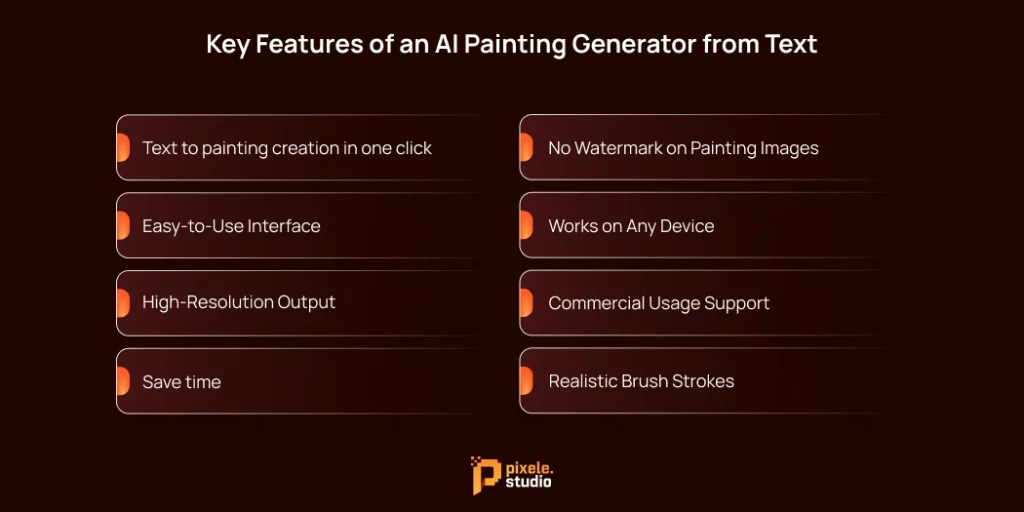
If you’re searching for the best AI painting generator, there are a few key things to keep in mind.
With so many tools available, choosing the right one can feel confusing. Some tools are just for fun, while others are packed with professional features. Here’s what makes the great ones stand out from the rest.
1. Text to painting creation in one click
Our AI Painting Generator can turn your ideas into realistic paintings in just a few clicks. It transforms your words into visual art quickly, making it easy for anyone to create beautiful paintings without any special skills.
2. Easy-to-Use Interface
A good AI painting generator should be simple to use. You shouldn’t have to search for the text box or the download button.
The best tools have a clean, simple design that lets you create without getting frustrated by complicated menus or hidden features.
A good user experience means you can focus on your art, not on figuring out the software.
3. High-Resolution Output
If you want to use your AI-generated painting for a small social media post or any work, resolution is more important.
Our AI painting generator from text creates clear and detailed paintings. Every image looks sharp and neat, so you can use it for printing, social media, or any project without worrying about poor quality.
Some even have upscaling technology, which makes smaller images bigger and sharper without losing quality.
4. Save time
Speed is one of the main advantages of using AI. While a human artist might take days or even weeks to paint something, an AI can create a similar image in under a minute.
But not all AI painting generators are fast. Some put you in a line or take several minutes to create your image.
The best tools work quickly, letting you try out different ideas without having to wait. This fast process helps you improve your creations in less time.
5. No Watermark on Painting Images
Our AI Painting Generator lets you download paintings without any watermark. This means your artwork is clean and ready to use for personal projects, social media, or professional purposes without any distractions.
6. Works on Any Device
A good AI painting generator works smoothly on all devices, including computers, tablets, and smartphones. This allows users to create paintings anytime and anywhere without needing special software or powerful hardware.
7. Commercial Usage Support
A good AI painting generator allows paintings to be used for business or commercial purposes. This means you can incorporate the designs into marketing materials, social media posts, projects, or products without concerns about copyright restrictions.
8. Realistic Brush Strokes
When it comes to painting, texture is really important. You don’t want the artwork to look flat, like a digital photo. You want to see the roughness of the canvas, the thickness of oil paint, or the way watercolor spreads.
Advanced tools are great at copying these details. They can make digital art look just like it was created by hand.
How to Create a Text to Painting Using AI (Step-by-Step)
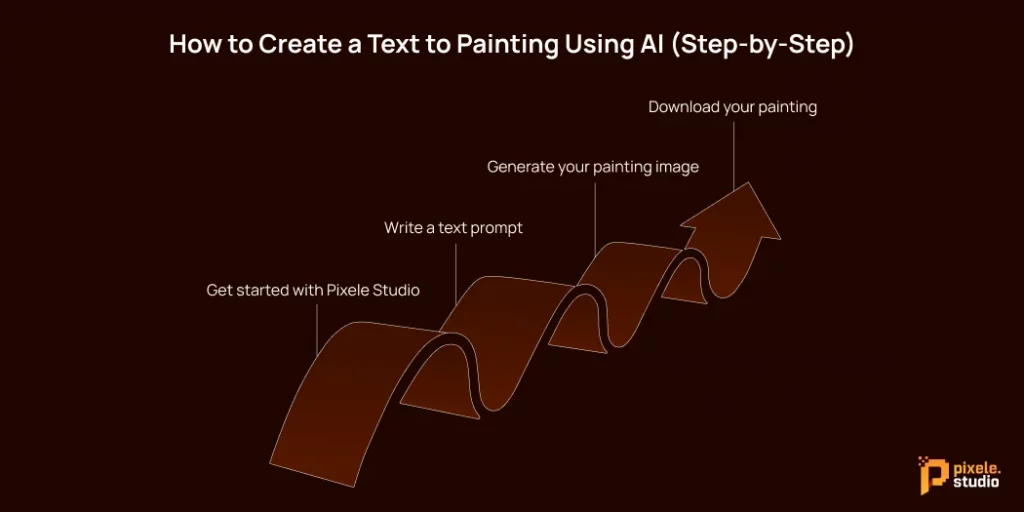
1. Get started with Pixele Studio
First, go to Pixele Studio and sign in to your account. If you don’t have an account, you can sign up for free. After signing in, select the AI image generator option from the top menu. This will open a workspace where you can type your ideas and generate your artwork.
Pixele Studio gives you a set number of generative credits to start creating, so you can explore and make your first paintings easily.
2. Write a text prompt
This is the most important part. Be descriptive.
Now, type a description of the painting you want to create. Be clear about what you want to see, like the subject, colors, or mood.
3. Generate your painting image
After writing your prompt, click the Generate button. In just a few seconds, the AI will create your painting based on your description.
Once your painting is ready, you can experiment by changing the Content Type to Art or Graphic. This will give your painting a more artistic or painterly style.
4. Download your painting
When your painting is ready and you’re happy with it, click the Download button at the top of the image. This will save your artwork to your device, so you can use or share it anytime.
Who Can Use the AI Painting Generator?
Here’s a breakdown of who can benefit most:
1. Professional Artists and Designers
Professional artists and designers can use AI painting generators to get new ideas, speed up their workflow, and experiment with different styles. It helps them save time and explore creative possibilities they might not have thought of before.
2. Content creators and bloggers
These tools are perfect for content creators and bloggers who need eye-catching images for their articles, websites, or videos. Instead of hiring a designer, they can use AI painting generators to create custom visuals that perfectly match their content.
3. Social media users
Social media users can easily create eye-catching and creative images for their posts, stories, or profiles. With AI painting generators, it’s never been easier to stand out with unique visuals.
4. Hobbyists and Amateurs
Anyone can enjoy painting, even without artistic skills. Hobbyists and beginners can explore, learn, and have fun with the creative process; no years of practice required.
5. Students and educators
Students and teachers can use AI painting tools for projects, presentations, or classroom activities. It’s a fun way to be creative and learn about art, colors, and design.
Are AI-Generated Paintings Safe to Use?
This is a complex topic. Since the technology is still relatively new, the legal framework is trying to catch up.
If you’re using a reputable AI image generator, the platform typically grants you usage rights. However, in most cases, you can’t copyright an AI-generated image.
According to the US Copyright Office, works created by non-humans aren’t eligible for copyright protection. So, while you can use the image, you may not be able to prevent others from using it too.
Another issue is the data used to train these AI models. Many artists are concerned that their work has been used without permission to train AI systems.
For personal use, AI images are generally safe to use. But for major commercial projects, it’s essential to review the terms of service of the platform you’re using to avoid any legal complications.
You don’t need brushes or art skills. Just tap once and turn your ideas into beautiful AI paintings.
Conclusion
An AI painting generator from text makes creating art easier and more accessible than ever. Whether you are a professional artist, a content creator, or someone who enjoys exploring creativity, this tool allows you to turn simple text into stunning, realistic paintings in seconds.
Are you looking for an AI painting generator free of charge? Start creating your own Pixele Studio AI paintings today!
Frequently Asked Questions
An AI painting generator from text is a tool that creates paintings from written descriptions. You type your idea, and the AI turns it into a unique, visual artwork automatically.
Yes, modern AI painting generators can produce highly realistic paintings with detailed brush strokes, colors, and textures.
Yes, some platforms like Pixele Studio offer free access to AI painting generators. You can create stunning artworks without paying, though some features may require credits or paid plans.
Many AI painting tools allow commercial use, but it depends on the platform. Always check the terms before using the images for business, marketing, or selling.
Write clear and specific prompts. Mention the subject, colors, mood, and style you want. Experiment with different descriptions to get the best results.
Yes! These tools are designed for everyone. You don’t need any art or drawing skills to create amazing paintings with just a few clicks.

Shantilal Materiya is the Founder & CEO of Tagline Infotech, driving innovation in AI-powered software solutions and helping businesses embrace the future of digital transformation services.