
Category: Background Remover
Why Pixele Studio is the Best AI Background Remover Online



Finding an easy and reliable way to remove backgrounds from images can make a big difference. Whether you’re running an online store, designing graphics under tight deadlines, or creating eye-catching social media posts, a clean background is often key to making your images stand out.
Manually editing photos can take time, require advanced skills, and expensive software. It’s not practical for most creators who want fast and professional results.
A Pixele Studio is only one solution. This tool makes removing and replacing image backgrounds simple and fast. You don’t need to spend hours learning complicated software or fixing tiny details manually.
In this article, you’ll see why Pixele Studio is the best AI background remover online and how it helps remove image background in seconds.
Best AI Background Remover Online – Pixele Studio

Pixele Studio is an AI image background remover tool. It’s fast, accurate, and easy to use, giving you great results every time. Let’s see what makes it special.
Instantly Remove Image Background in One Click
One of the biggest benefits of Pixele Studio is how fast it works. You simply upload your image, and with a single click, the background is gone.
There is no need to spend hours manually selecting or erasing parts of the image. This makes it ideal for anyone who wants professional-looking photos quickly, whether it is for online stores, social media posts, or creative projects. You can focus on your ideas and design while the tool handles the technical work for you.
High-Quality Transparent Output
The most important feature of Pixele Studio is that it keeps your images clear and professional. Every photo comes out crisp, with details like hair, edges, and shadows preserved perfectly. This is especially important for product photos, social media posts, or marketing visuals where every detail matters. High-quality results mean you don’t have to spend extra time fixing mistakes, letting you focus on creating great content quickly and easily.
Supports All Image Types
Pixele Studio works with all the popular image formats like PNG, JPG, JPEG, WEDP, HEIC, and HEIF. This means you can upload your files right away without having to convert them, making your work quicker and easier.
Affordable Pricing & Plans
Many best AI background remover tools on the market are expensive and hard to access for small creators or businesses.
Pixele Studio offers affordable pricing with premium features. You can enjoy high-quality image output and a transparent background without paying an extra.
This makes it easy for anyone, from social media creators to e-commerce sellers, to use professional tools without breaking the budget.
User-Friendly Interface
Pixele Studio is easy for anyone to use, even if you’re not a graphic designer. Its interface is clean and simple to navigate right from the start.
The process is very simple. Just upload your image, the AI does its work, and you download the result. This makes it a great choice for both beginners and experienced users.
Custom Background Options
Removing a background is just the start! With Pixele Studio, you can easily add a new background to your image. Pick a solid color or upload your own image to create a fresh new look. It’s perfect for making product mockups, social media graphics, or custom photos, all in one simple tool.
AI-Powered Precision
Pixele Studio is powered by smart AI technology. This AI has learned from millions of images how to tell the difference between the main subject and its background.
Because of this, it can handle difficult images, like those with busy backgrounds or fine details like hair. This precision ensures your final image looks clean and professional.
Real World Use Cases: Who Can Benefit from Pixele Studio?

Photographers
For photographers, editing backgrounds can be a slow and tedious process. Pixele Studio makes it simple to remove unwanted backgrounds while keeping every detail intact.
Whether it’s portraits, product shots, or event images, photographers can deliver clean, professional results in a fraction of the time.
Designers and Creatives
Graphic designers and content creators often need images that are ready to use immediately. Pixele Studio allows them to remove backgrounds from images quickly and replace them with custom colors, patterns, or designs.
This helps create eye-catching visuals for social media, marketing campaigns, and websites without hours of manual work.
E-commerce Sellers
Online store owners can make their products stand out with professional-looking images.
By removing cluttered backgrounds and maintaining consistent visuals, Pixele Studio helps sellers improve product listings, attract more customers, and boost sales.
Social Media Creators
Influencers, YouTubers, and social media managers can save time producing thumbnails, posts, and banners. With Pixele Studio, they can focus on creating engaging content rather than spending hours on tedious editing.
Small Businesses and Startups
Small businesses and startups often cannot afford professional design teams. Pixele Studio provides a cost-effective solution, letting them create polished images in-house. This helps businesses look professional and trustworthy online without extra expense.
Pros & Cons
| Pros | Cons |
|---|---|
| Upload your image and get a clean transparent background quickly. | The free version may have limitations |
| High-quality transparent outputs | Required an internet connection |
| Supports all types of image formats like PNG, JPG, JPEF, WEBP, HEIF, HEIC | No offline access |
| Useful for photographers, designers, e-commerce sellers, social media creators, and small businesses. | |
| Affordable pricing | |
| No login, no watermark, completely free |
Future of AI Background Remover with Pixele Studio
Editing images is becoming simpler and more efficient. Pixele Studio is leading this change. In the future, removing backgrounds will be faster and even more precise. This helps creators spend less time on technical tasks and more time on creativity.
Pixele Studio continues to improve with features that make editing easier for photographers, designers, and businesses. Options like high-quality output, support for all types of formats, and tools that work well with websites and social media are making the process smoother.
For creators and businesses, this means saving time, reducing stress, and producing professional-looking images effortlessly. Pixele Studio is not just useful today; it is shaping the way people will edit images in the future.
Easily remove any photo with our background remover tool. Get a smooth, transparent result in one click.
Conclusion
Pixele Studio is one of the best free AI background removers because it is simple, fast, and reliable. Anyone, from photographers to small business owners, can create professional-looking images without spending hours on editing.
The platform offers a free option to try it out and affordable plans for advanced features. It keeps your images safe and secure while ensuring every photo looks clean and polished.
In short, Pixele Studio makes working with images easy, efficient, and stress-free. It saves time, improves the quality of your images, and is perfect for anyone who wants professional results without complicated tools.
Frequently Asked Questions
Pixele Studio is an online tool that allows you to remove image backgrounds quickly and easily. It helps photographers, designers, e-commerce sellers, and content creators produce professional-looking images without complicated software.
You simply upload your image and the platform removes the background in seconds. There is no need for manual work, making it fast, simple, and efficient for anyone.
Yes, Pixele Studio offers a free option so you can test its features and see the results for yourself. It is a great way to check how the tool works before choosing a paid plan.
Pixele Studio is ideal for photographers, designers, e-commerce sellers, social media creators, and small business owners.
Yes, Pixele Studio ensures that all your images are kept safe and private. You can trust the platform to protect your work while producing high-quality results.
Pixele Studio is fast, simple, and reliable. It delivers clean, high-quality images without complicated steps or expensive software. Its free option and affordable plans make it accessible for all users.
Yes, Pixele Studio is suitable for professional and commercial use. You can create product images, social media visuals, marketing graphics, and more with ease.

Shantilal Materiya is the Founder & CEO of Tagline Infotech, driving innovation in AI-powered software solutions and helping businesses embrace the future of digital transformation services.


Recent Blog
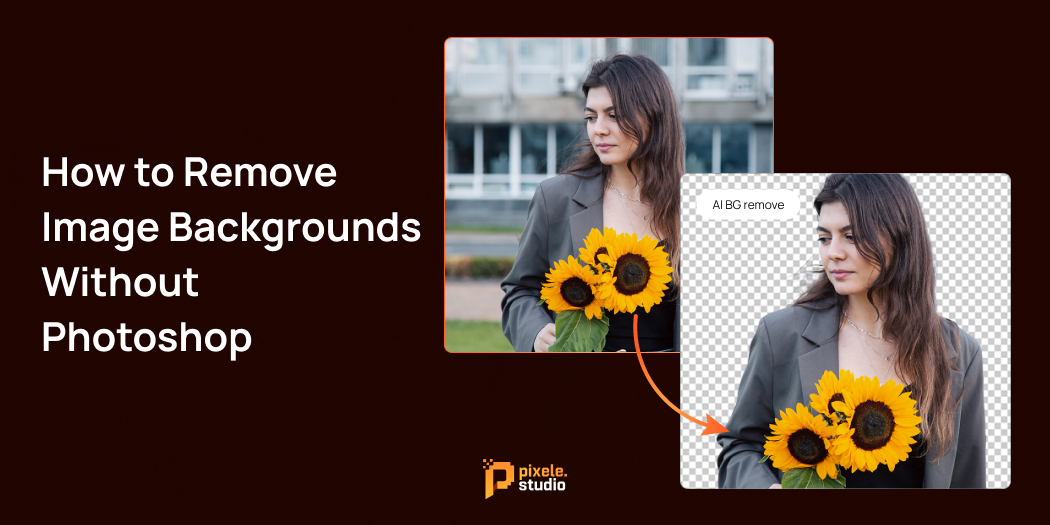
How to Remove Image Backgrounds Without Photoshop

Removing the background from an image is a common task in graphic design and photo editing. But not everyone has access to expensive software like Photoshop or the technical skills to use it.
The good news is, you don’t need Photoshop to get professional-looking results. Today, there are many easy-to-use AI background remover tools and software options that help you remove image backgrounds quickly and effectively, often with just a few clicks.
In this guide, you’ll learn the best methods to remove backgrounds from your images without any complicated software. Whether you’re creating marketing materials, product photos, or just want to enhance your pictures, these simple and free or affordable tools will save you time and frustration.
Let’s explore how anyone, regardless of experience, can remove image backgrounds effortlessly.
What Does It Mean to Remove Image Backgrounds?
To remove image background means to separate the main subject of a photo from everything behind it. Imagine cutting out a person or product from its original setting so you can place it on a different background or leave it transparent.
This process creates a clean, clear image where only the important part remains visible. For example, a product photo with no background can look great on any website or marketing material.
The result is usually saved as a PNG file with a transparent background. This means you can easily layer the subject over different colors, patterns, or images without any messy edges or unwanted background showing.
In simple terms, background removal helps make your images more flexible, professional, and visually appealing.
Why Remove Image Background?
Removing the background from an image does more than just change how it looks—it improves how your image works for you online and in marketing. Here’s why removing backgrounds is important for creating professional and effective images:
- Keeps the Focus on What Matters: When you remove a distracting background, the main subject of your photo becomes clear and easy to see. This helps people quickly understand the message or product you’re showing.
- Makes Your Images Look Professional: Clean images with transparent backgrounds look polished and neat. This is especially important for businesses that want to show their products or services at their best, whether on websites, in catalogs, or in ads.
- Gives You More Creative Options: Once the background is removed, you can place your image on any background you like. This means you can match your brand’s colors, create different looks for ads, or design eye-catching content without extra work.
- Helps Increase Sales and Engagement: Studies show that product photos without busy backgrounds get more attention and lead to more sales. Clear images allow customers to view the product more clearly, which helps them feel more confident when making a purchase.
- Makes Your Work Easier: Removing backgrounds lets you quickly use images in many places, like marketing materials, presentations, and social media posts. This helps you work faster and makes designing easier.
In simple terms, removing image backgrounds makes your images clearer, more flexible, and more effective at grabbing attention and supporting your business goals.
Popular Online Tools to Remove Image Backgrounds without Photoshop

Here are some easy-to-use and reliable tools to help you remove the background from an image without the hassle of Photoshop:
1. Pixele Studio—Free AI Image Background Remover
Pixele Studio offers a powerful image background remover that stands out for its simplicity and quality. This tool allows you to upload a photo and removes the background instantly, automatically detecting the main subject.
It supports common image formats like PNG, JPG, WebP, and even HEIC, making it compatible with most devices and cameras.
One of the main benefits of image background removers is that you don’t need to create an account or worry about watermarks. Plus, it allows batch processing, which means you can remove backgrounds from multiple photos at the same time, saving you a lot of time if you work with many images.
After processing, you can download your images in high resolution with transparent backgrounds, perfect for online stores, social media, presentations, and more.
2. Remove.bg
Remove.bg is a very popular online tool that quickly removes backgrounds from images. Simply upload your photo, and the tool will automatically detect and remove the background. It’s ideal for anyone who wants fast and easy background removal results.
3. Pixlr Background Remover
Pixlr is a popular online photo editor that also offers a background removal tool. What makes Pixlr special is that it combines automatic AI-based background removal with options for manual adjustments. After the background is removed automatically, you can use simple editing tools to smooth out rough edges or fix any small areas that were missed.
4. Canva
Canva is a popular online design website used by many people everywhere. Its background remover feature is part of the Canva Pro subscription, giving users a seamless way to remove backgrounds while designing their graphics.
With Canva, you can upload your image, click on the background remover tool, and the system will isolate your subject. The benefit of Canva is that after removing backgrounds, you can immediately use the image in your design project, adding text, shapes, and other elements without switching between different tools.
How to Remove Background from an Image Using Online Tools

Here are some easy steps to follow to quickly and easily remove image backgrounds using online tools:
1. Upload Your Image:
At the top of the tool, you’ll see an area labeled “Click or drag image here.” Simply click to select your photo, or drag and drop the image directly into this box. The tool supports formats like PNG, JPG, WEBP, and HEIC, so most pictures from your phone or camera will work.
2. Remove Background:
Once your image is uploaded, just hit the “Remove Background” button. The tool will automatically find the subject in your photo and erase the background in seconds. You don’t need any editing skills or complicated software.
3. Try Sample Images:
If you don’t have your photo ready, you can choose one of the sample images provided below the upload area. Just click on a sample, and the tool will show you how background removal works.
4. Download Your New Image:
After you see the results on-screen, you’ll have the option to download your edited image—with the background removed—in high quality. This is great for use on websites, social media, or design projects.
Using online tools like this makes background removal quick and easy for everyone. No need to learn Photoshop or buy expensive programs—just a few clicks and your image is ready to use!
When to Consider Photoshop or Online Paid Tools
Consider Photoshop if:
- Your images have complex backgrounds or fine details like hair that need careful manual editing.
- You require precise control over every part of the image for professional-quality results.
- You work with brand materials that need advanced features such as layering, masking, and retouching.
- You want to make customized edits beyond just background removal.
Consider online paid tools if:
- You need to process large batches of images quickly and efficiently.
- High-resolution output is important for your projects.
- You want additional features like background replacement, color correction, or automatic enhancements.
- You prefer a simple, browser-based solution with premium support and extra tools.
For most everyday uses, free tools work well. Use Photoshop or paid services when you require advanced editing or handle professional, high-volume work.
Easily remove any photo with our background remover tool. Get a smooth, transparent result in one click.
Conclusion
Image remove background no longer requires expensive or complicated software. With AI-powered tools like Pixele Studio’s background remover, you can quickly and easily create clean, professional images without any hassle.
Whether you’re a small business owner, content creator, or just someone who wants better pictures, these tools make the process simple and affordable.
Give these tools a try today to improve your visuals and make your content look more attractive. If you have any questions or want to share your experience, feel free to leave a comment. You can also explore other helpful tools like AI image generators to take your creativity even further.
Start making eye-catching images now with easy, accessible background removers that anyone can use!
Frequently Asked Questions
Yes, you can easily remove backgrounds using free or paid online AI-powered tools without needing Photoshop.
Popular tools include Pixele Studio Background Remover, Remove.bg, Pixlr Background Remover, and Canva Background Remover.
Absolutely! Most online tools only require you to upload your image and click a button. The AI takes care of the rest automatically.
Some tools, like Pixele Studio, support batch processing to remove backgrounds from many images at the same time.
Pixele Studio tools support common formats such as PNG, JPG, WEBP, and HEIC.
Some tools offer manual editing options to refine edges or restore parts of the image if needed.
Yes, many tools like Pixele Studio allow you to download high-resolution images with transparent backgrounds.
Pixele Studio tools offer free background removal with limitations, like lower resolution or a limited number of uses. Paid plans offer higher quality and more features.
Photoshop is best when you need precise manual control, advanced editing features, or are handling complex images.
Shantilal Materiya is the Founder & CEO of Tagline Infotech, driving innovation in AI-powered software solutions and helping businesses embrace the future of digital transformation services.
Recent Blog

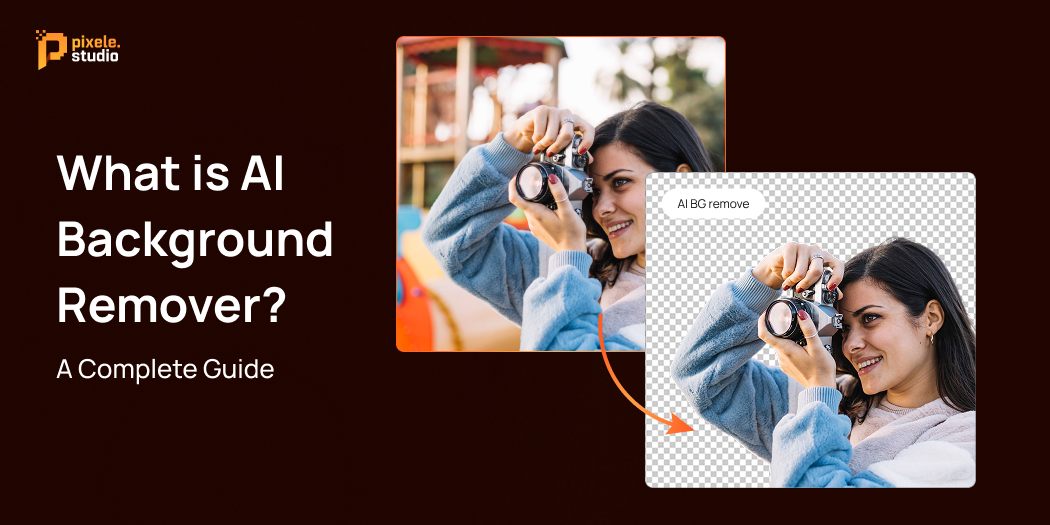
What is an AI Background Remover? A Complete Guide

Have you ever wanted to remove the background from a photo but didn’t know how? An AI background remover is a tool that utilizes artificial intelligence to remove backgrounds automatically. It quickly removes the background from your images, leaving only the main subject.
This makes your photos look cleaner and more professional without needing any special skills or complicated software. AI background removers are helpful for many tasks, like selling products online, creating social media posts, and editing personal pictures. They save time, improve image quality, and make your work easier.
In this guide, we’ll explain what AI background removers are, how they work, their benefits, and common uses, as well as the challenges and limitations you should know about.
What is an AI background remover?
An AI background remover is a tool that automatically removes the background from an image using artificial intelligence. Instead of spending time manually cutting out the subject, the AI scans the photo, identifies the main object, and separates it from the background quickly and accurately.
These tools are perfect for creating images with transparent or customized backgrounds, making them ideal for product photos, marketing campaigns, and more.
With the power of AI, they’re great at handling tricky details like hair or intricate shapes, doing the job far better and faster than traditional methods.
How Does AI Background Remover Work?
Removed background AI uses artificial intelligence, especially a type called deep learning with Convolutional Neural Networks (CNNs), to look at images and find the main subject.
Then, they separate that subject from the background. To do this, the AI is trained using lots of images where the subjects and backgrounds are already marked.
Here is a step-by-step guide to How to Remove Image Backgrounds it works:
- Image Analysis:
The AI studies the image by looking at things like colors, textures, and shapes. It uses what it learned from many images to recognize patterns and figure out exactly where the subject is.
- Subject Identification:
The AI finds the edges of the subject, even if it has tricky details like hair, fur, or see-through parts.
- Background Removal:
After finding the subject, the AI removes the background and usually creates a clean cut-out or a transparent image file (like PNG).
- Refinement (Optional):
Some tools let you do extra editing, like adding a new background, changing colors, or applying special effects.
With continuous learning from thousands of images, AI background removers keep improving, providing faster and more accurate background removal without the need for manual editing.
Benefits of Using an AI Background Remover

1. Background removal and replacement
The biggest benefit of using AI background remover technology is how easily it separates the subject from the background.
This makes it simple to place the subject in new scenes, create unique photo compositions, or just get clean, professional-looking images without distractions.
2. Speed and Efficiency
Removing backgrounds used to take anywhere from 30 minutes to a few hours, depending on how detailed the image was.
But with AI tools, you can now get it done in seconds. This not only saves time but also boosts productivity, making content creation so much easier.
3. High Accuracy and Precision
Today’s AI algorithms are incredibly precise—sometimes even better than manual editing. They’re great at capturing tiny details and producing smooth, natural edges that blend perfectly with new backgrounds or transparent spaces.
4. Erasing the background
Using AI remove background from images technology makes pictures more useful for different purposes. Whether it’s product photos for catalogs, professional portraits, or graphics for design projects, a clean background gives you more flexibility.
5. User-Friendly Interface
Most AI background removal tools are easy to use and don’t require any technical skills. Just upload your image, and the tool will handle the rest, making it simple for anyone to create professional-quality edits.
6. Batch processing
Many AI tools let you remove backgrounds from multiple images at once. This is super helpful for businesses with lots of product photos or content creators with big image libraries.
7. Cost-Effective Solution
Compared to hiring professional photo editors or investing in expensive software licenses, AI background removers offer affordable alternatives. Many tools provide free tiers or reasonable subscription plans that deliver professional results at a fraction of traditional costs.
Common Use Cases of AI Background Removers

E-commerce Product Photography
Online stores need clear product photos to show off their items. AI background removal makes it easy to create professional images with clean white backgrounds. This helps products look better, meet marketplace rules, and attract more buyers.
Social Media Content Creation
Content creators and influencers remove backgrounds to make their posts, stories, and thumbnails stand out. Changing backgrounds quickly helps them keep a consistent style and tell creative stories on different platforms.
Graphic Design and Marketing Materials
Designers use background removal to create ads, brochures, websites, and other promotional materials. It helps isolate the subject, making it easy to blend into different designs and layouts.
Personal Photo Editing
People use AI background removal to improve family photos, make custom holiday cards, or prepare pictures for special events. It helps remove unwanted backgrounds or add creative effects quickly and easily.
Real Estate Listings
Real estate professionals use background removal to enhance property photos, remove unwanted objects, or create virtual staging effects. Clean images help properties appear more appealing to potential buyers.
Education and Presentations
Educators and business professionals use background removal to create clean images for presentations, educational materials, and training resources. Removing distracting backgrounds helps maintain audience focus on key content.
Challenges and Limitations of AI Background Remover

1. Struggles with Complex Backgrounds
AI has come a long way, but it still struggles with small details like hair strands, fur, or see-through objects like glass. You might need to make a few manual adjustments to get perfect results.
2. Handling Fine Details and Transparency
AI works best with clear, high-quality AI images. Low-resolution or blurry images can lead to poor results, so use photos with good detail and contrast between the subject and background.
3. Quality Depends on Image Resolution
Basic AI tools might not give you full control over the removal process. If you need precise edits or want to adjust the edges, you may need more advanced software with manual options.
4. Limited Customization in Some Tools
Basic AI tools might not give you much control when removing objects. If you need precise edits or detailed edges, you may need more advanced software that lets you make manual adjustments.
5. Privacy and Security Concerns
AI tools that work in the cloud often need you to upload images to their servers, which can create privacy risks for sensitive or private images. Make sure to check their privacy policies and think about using offline tools for sensitive content.
6. Internet Dependency
Many AI background remover tools need an internet connection to work. This can be a problem in areas with bad internet or when handling lots of images.
Future of AI Background Remover Technology
AI background remover tools will get smarter and better in the future. They will be able to handle tricky images, like those with overlapping objects or see-through parts, and work well even with blurry or messy pictures.
We will also be able to remove or change backgrounds in real-time during video calls or live streams without needing a green screen. This will help people in online meetings, virtual events, and video content creation.
These tools will become easier to use, so anyone can edit photos and videos quickly without special skills. Businesses, creators, teachers, and everyday users will save time and make their images and videos look great.
Easily remove any photo with our background remover tool. Get a smooth, transparent result in one click.
Conclusion
We hope this guide helped you really understand what AI background remover technology is all about and how it can make your image editing easier and faster.
AI is changing the game by taking away the tricky parts of editing, so whether you’re a pro or just someone who enjoys editing photos, you can get great results without the hassle.
If you want a tool that’s both powerful and easy to use, Pixele Studio offers one of the best AI background removers online out there. It’s designed to give you clean, sharp images quickly, saving you time and effort.
Frequently Asked Questions
An AI tool that automatically removes image backgrounds, isolating the main subject.
It uses AI to detect and separate the subject from the background in an image.
Saves time, easy to use, and creates clean, accurate background removal.
Mostly yes, but very complex or low-quality images may need manual fixes.
Many offer free basic versions; advanced features usually require payment.
Often as accurate as manual work, especially for simple images.
Some advanced tools remove video backgrounds, but it’s less common.
Most reputable tools protect your privacy; always check their policies.

Krishna Dudhat is an SEO Content Writer at Tagline Infotech, creating AI-optimized content that drives visibility, engagement, and digital growth.