How to Fix Blurry Photos With an AI Image Upscaler



Posting photos is fun, but it can be upsetting when some of your favorite pictures turn out blurry. It feels disappointing when special memories, like family moments, trips, or celebrations, lose their charm because the images are unclear. But don’t worry! This guide will help you bring your blurry photos back to life.
No matter if it’s a beautiful landscape, a fun picture with friends, or a special occasion, every photo should look its best. With our guidance, we’ll show youhow to fix blurry photos using AI image upscaler tools. Let’s make your memories look sharp and clear.
Is It Possible to Fix Blurry Photos Online?
Yes, you can definitely fix blurry photos online, and also an easy way to use. Photos can be blurry for some reasons, like your camera shaking, incorrect focus, or low lighting. No matter the cause, you can use an AI image upscaler to make your photos sharper and clearer without needing any special software or tech skills.
An AI image upscaler is a tool that makes your pictures look sharper and clearer by adding more details. It works online, so there’s nothing to download, and many of these tools are free to use.
The benefits of fixing blurry photos with an AI image upscaler:
- Instant result – You can improve your blurry photos in just a few seconds.
- Easy to use – No professional editing skills are required. No expertise needed, and the process is a very simple and easy way to fix your photos.
- High-quality output – AI technology enhances your image to a clarity that surpasses traditional methods.
The best AI image upscalers can also improve resolution, reduce noise, and make old or pixelated photos look like high-definition images. Whether you’re saving a memory, posting on social media, or enhancing professional photos, an AI image upscaler is a simple and affordable solution.
How to Fix Blurry Photos Online For Free With an AI Image Upscaler

Are you ready to fix your blurry photos? With an AI image upscaler, you can make your pictures sharp and clear for free. Just follow these simple steps to transform your blurry images into vibrant, high-quality photos.
Step 1: Upload an Image
Visit the AI Image Upscaler website by Pixele Studio. Simply, “Upload Image” and click on it. Select the blurry photo you want to improve from your computer, phone, or tablet. The tool supports all image formats, so you can upload PNG, JPG, JPEG, WebP, HEIC, and HEIF. Wait a few moments for the upload to finish, and you’re ready to start enhancing your photo!
Step 2: Let AI Work Its Magic
Once your blurry image is uploaded, click the “Upscale Image” button. The AI image upscaler will start working automatically. It will analyze your photo, sharpen blurry areas, and enhance details to make your image clearer and sharper. This process usually takes just a few seconds.
Step 3: Download Your Images
After the AI omage upscaler finishes enhancing your photo, a download button will appear. Click on it to save the improved, clear version of your image to your computer or device. Now your blurry photo is fixed and ready to use!
Follow these four simple steps to use the AI image upscaler by Pixele Studio and turn your blurry photos into clear ones for free! Let AI technology improve your images and make them look their best.
Why Use an AI Image Upscaler to Clear Blurry Photos For Free?
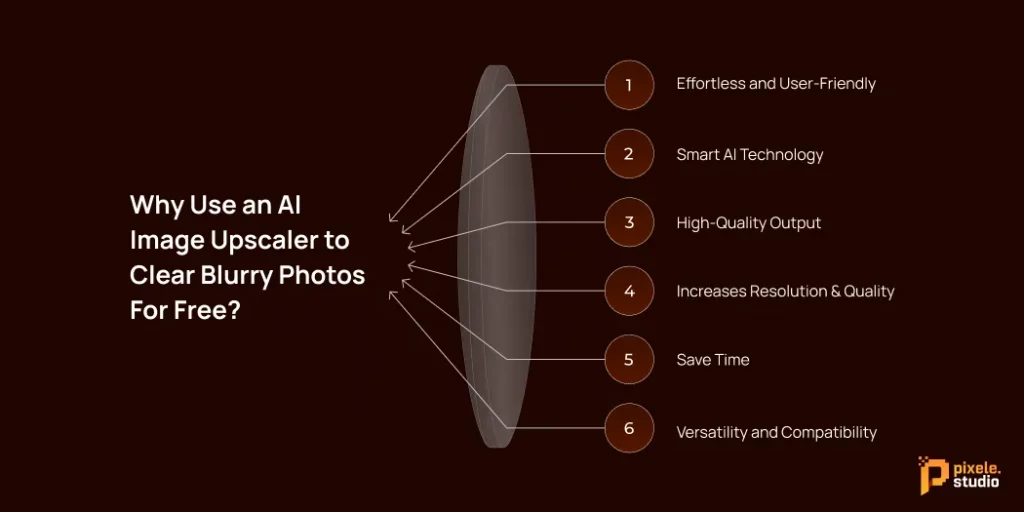
Clear images are more important than ever. But it’s not always easy to take the perfect shot, and we often end up with blurry photos. That’s where an AI image upscaler can help. Here are a few reasons why you should use an AI image upscaler to fix your blurry pictures for free.
Effortless and User-Friendly
AI image upscalers are incredibly easy to use. You don’t need any special photography or editing skills. Just upload your blurry picture, click a button, and the AI will automatically fix it for you. It’s a simple and quick process, making it great for everyone, from beginners to experts looking for fast results.
Smart AI Technology
AI image upscalers work by using advanced AI to scan your photo and find any blurry spots. The tool then intelligently fills in missing details, softens sharp edges, and sharpens the overall image for you.
Unlike older photo editing software that requires you to make changes by hand, the AI handles everything, saving you time and effort while giving you professional-looking photos.
High-Quality Output
One of the most important benefits of an AI image upscaler is that it delivers high-quality results. Even if your original photo is blurry or low-resolution, the AI enhances details, sharpens edges, and improves colors, giving you a clear and professional-looking image.
Increases Resolution & Quality
An AI image upscaler improves both the resolution and overall quality of your photo. It makes images sharper, more detailed, and clearer, so even small or low-quality pictures can look like high-definition photos.
Save Time
An AI image upscaler makes blurry photos clear in seconds. No need to learn complicated tools or edit manually; just upload your photo, click a button, and get a sharp image instantly.
Versatility and Compatibility
AI-powered tools are highly versatile and compatible with different file types and platforms. Whether you’re working with JPEGs, PNGs, or other popular image formats, these tools can handle them effortlessly, making it easy to enhance your photos regardless of their source.
Extra Tips to Prevent Blurry Photos in the Future
Fixing a blurry photo is helpful, but it’s even better to take clear photos from the start. Here are some simple tips to help you take sharper pictures:
- Check Your Lighting: Good lighting is very important for clear photos. Always try to take pictures in bright areas or natural light. Poor lighting can make your camera work harder and cause blur.
- Stabilize Your Camera: Camera movement is a common reason for blurry photos. Hold your phone or camera with both hands and keep it steady. If possible, rest your hands on a stable surface while taking the photo.
- Clean Your Lens: A dirty lens can make photos look soft or unclear. Before taking pictures, gently wipe the camera lens with a clean cloth to remove dust or fingerprints.
- Use Burst Mode: Burst mode takes several photos in a row. This is helpful when capturing moving subjects. You can later choose the sharpest image from the group.
- Proper Focusing: Always make sure your subject is in focus before clicking the photo. On smartphones, tap the screen where you want the focus to be. This helps the camera capture clear details.
Enhance your photos effortlessly with our AI image upscaler. Increase your high-resolution photo in seconds.
Conclusion
Don’t let blurry photos spoil your special memories. An AI image upscaler helps you turn unclear pictures into clear and sharp images with just a few clicks. It uses smart AI to improve photo quality quickly and easily.
The tool is simple to use, works online for free, and gives clear results in seconds. It supports many image types and works on different devices. Whether your photo is old, blurry, or low quality, an AI image upscaler helps make it clear and ready to use.
Frequently Asked Questions
Yes, you can fix blurry photos online for free using an AI image upscaler. You just need to upload your photo, and the AI will improve its clarity automatically.
It usually takes only a few seconds. After uploading your image, the AI quickly improves it and makes it ready to download.
No, you don’t need any editing skills. The tool is easy to use and works automatically with just one click.
It usually takes only a few seconds. After uploading your image, the AI quickly improves it and makes it ready to download.
Yes, most AI image upscalers work on mobile phones, tablets, and computers. You can use them directly in your web browser.

Shantilal Materiya is the Founder & CEO of Tagline Infotech, driving innovation in AI-powered software solutions and helping businesses embrace the future of digital transformation services.