Reduce Photography Cost? Use Pixele Studio 4K Image Upscaler



High-quality photos matter for any brand, creator, or business. They help you stand out, look professional, and make a strong first impression. However, getting sharp and detailed images can be costly. Hiring photographers, buying new equipment, or organizing shoots can quickly raise your expenses.
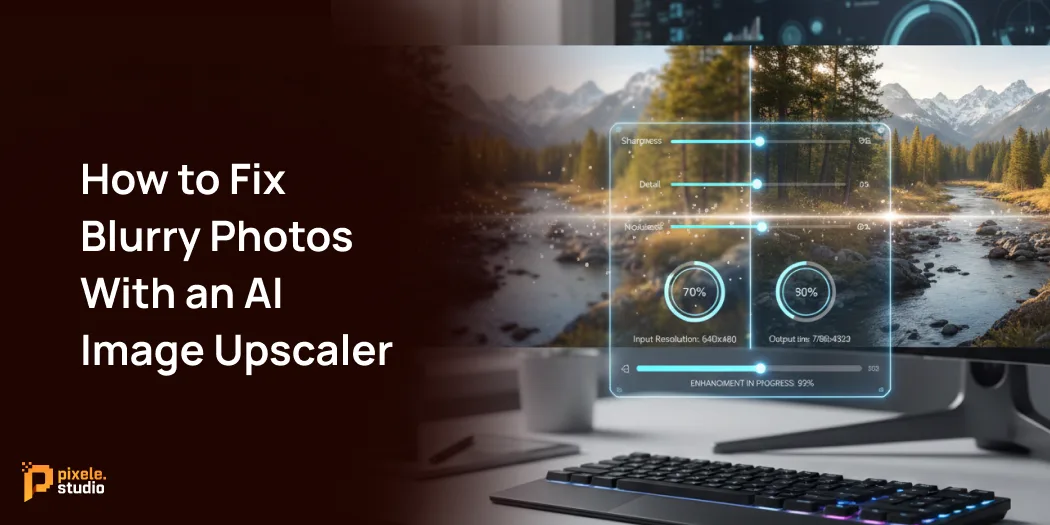
This is where smart image tools can really help. Instead of spending money on new cameras or multiple photo sessions, you can enhance the clarity of your pictures with a reliable 4K image upscaler.
Pixele Studio offers a straightforward way to transform low-resolution images into sharp, high-quality visuals that look fresh and clear.
In this guide, you will discover how this tool helps you cut photography costs, improve image quality, and achieve studio-level results without extra effort.
Whether you run an online store, manage social media, or work in design, this method helps you get better photos while keeping your budget down.
Why High-Quality Images Are Essential
High-resolution images are crucial for any business, marketer, or content creator. Clear and sharp photos allow people to grasp your product or message at a glance. When your images look good, your work seems more trustworthy and professional.
For businesses, strong images reassure customers about their purchases. For marketers, good visuals improve campaign performance and increase clicks. For content creators, clean images make posts pop on social media and draw more views.
In short, good photos make your work look authentic, clear, and easy to trust. They help you connect with your audience and create a memorable first impression.
Common Costs in Professional Photography
Professional photography can be expensive for businesses, but understanding the main costs helps explain why finding a budget-friendly option matters. Here’s a breakdown:
- Photographer fees: Hiring a professional can cost anywhere from a few hundred to several thousand dollars per day, depending on their experience and project size.
- Equipment costs: High-quality cameras, lenses, lighting, and backdrops are expensive to buy or rent. Even DIY photography requires a significant investment in gear.
- Studio rental: If a controlled setting is needed, renting a studio can add hundreds of dollars to your expenses.
- Post-production: Editing, color correction, and retouching are time-consuming and typically come with extra fees, either from the photographer or a professional editor.
How Pixele Studio 4K Image Upscaler Reduces Costs

Pixele Studio’s 4K Image Upscaler is a cost-effective solution that enhances your existing photos using AI, eliminating the need for expensive professional photography and saving both time and money.
Here’s how it helps you save:
- No Need for Expensive Reshoots: Got a photo that’s nearly perfect but too small or blurry? Instead of setting up a new photoshoot, you can just use the free upscale image to 4k to improve its resolution. This way, you avoid the costs of rehiring photographers, renting gear, and booking studio space.
- Reuse Existing Photos: You probably have a library of older photos. Pixele Studio can bring them back to life by improving their quality. This means you can reuse them for new marketing campaigns, social media posts, or website updates without spending anything on new photography.
- Reduce Equipment Expenses: With Pixele Studio, you can enhance photos taken with less expensive cameras or even smartphones, so you don’t always need to invest in high-end photography gear. Capture a great shot on a standard device and let our AI handle the rest, making it look like it was taken by a professional. You can even upscale an image to 4K for free to test the results.
Step-by-Step Guide: How to upscale an image to 4k with Pixele Studio

Enhancing your images with Pixele Studio is super easy. You don’t need any special skills to get professional-quality photos.
Here’s a simple guide on how to upscale an image to 4k:
1. Visit the Pixele Studio Website: Open your web browser and go to the Pixele Studio 4K Image Upscaler page.
2. Upload Your Image: Choose the image you want to upscale and upload it to the platform. You can use any photo, including low-resolution or blurry ones. The tool will then enhance it to improve its clarity and sharpness.
3. Let the AI Work: Once your image is uploaded, Pixele Studio’s AI will start working its magic. The AI looks at your photo and cleverly adds more detail to make it bigger, clearer, and less blurry.
4. Download Your Upscaled Image: Your high-resolution image will be ready in moments. Click “Download” to save the 4K image to your device.
Who Can Benefit the Most
A variety of professionals and businesses can use an image upscaler to save money and enhance the quality of their visuals.
- E-commerce Store Owners: High-quality product photos are key to boosting online sales. By upscaling images, store owners can present their products more effectively, increasing conversions without the expense of hiring a professional photographer.
- Marketers and Social Media Managers: High-quality visuals are essential for capturing attention on busy social media feeds. Marketers can leverage upscaled images to create ads, posts, and campaigns that truly stand out and boost engagement. For professionals in this space, finding the best AI image upscaler can make all the difference.
- Bloggers and Content Creators: Bloggers need great images to keep readers interested. A 4K image upscaler can turn ordinary photos into sharp, eye-catching visuals, making their blogs look more professional.
- Real Estate Agents: In real estate, property photos can make or break a sale. High-resolution images attract more buyers and make listings stand out. An AI image upscaler helps agents enhance their photos to look more professional, saving them the cost of hiring an expensive photographer.
Tips for Maximizing Savings with Pixele Studio
Here are some simple tips to get the best out of Pixele Studio:
- Start with the Best Possible Image: The upscaler works best with clear, well-lit photos. Try to avoid very blurry or tiny images for better results.
- Batch Process Your Images: If you’re working on a project with multiple images that need enhancing, it’s best to process them all in a single session. This not only streamlines your workflow but also helps maintain a consistent quality across all your campaign visuals.
- Organize Your Enhanced Photos: Keep your upscaled images in their own folder. This will help you find them quickly when you need them for different marketing projects, saving you time.
- Experiment with Different Photos: Test the upscaler on different kinds of pictures, like product photos, portraits, and landscapes. This will help you see how it can improve the quality of all your images.
Enhance your photos effortlessly with our AI image upscaler. Increase your high-resolution photo in seconds.
Conclusion
High-quality images are crucial for any business, but they don’t have to break the bank. You no longer need expensive photographers or fancy equipment to get stunning visuals.
With tools like Pixele Studio’s 4K Image Upscaler, you can enhance the images you already have, saving money while still delivering sharp, professional results.
It’s a smart, affordable way to refresh old content and make your brand stand out, all without going over budget.
Frequently Asked Questions
A 4K upscaler helps you improve the photos you already have, so you don’t need new shoots, new gear, or extra editing work. This saves money and time.
Simply enter your ideas or description, and the AI will quickly turn your text into a detailed, realistic image. No design skills are needed.
Yes, 4K images look clean and professional on websites, online stores, and all social media platforms.
Yes, businesses can save a lot by upgrading old photos instead of paying for new shoots or buying expensive cameras.
No, the upscaling process is fast. Your new 4K image is ready to download in a short time.
Yes, content creators can make their posts, thumbnails, and banners look more clear and eye-catching without extra cost.
Yes, 4K images have enough clarity for many print needs like posters, flyers, and banners.

Bipin Sakariya is the Co-Founder & CTO of Tagline Infotech, leading AI-driven technology initiatives and building future-ready digital solutions for global businesses.