
Category: AI Video
8 Best Free AI Video Generators Without Watermarks



Finding a free AI video generator that produces realistic and high-quality results without a watermark is not simple. Many tools claim to be free, but when you try to download the video, they add a big logo or force you to upgrade.
Only a few platforms truly offer high-quality videos with smooth visuals and no marks on the final output.
Whether you’re a content creator, marketer, student, or someone who simply wants to make good videos without spending money, this guide will show you the best options that really work.
Here are the 8 best free AI video generators without watermark that give you realistic results, easy controls, and easy downloads you can trust.
1. Pixele Studio – Best Free AI Video Generator Without Watermark
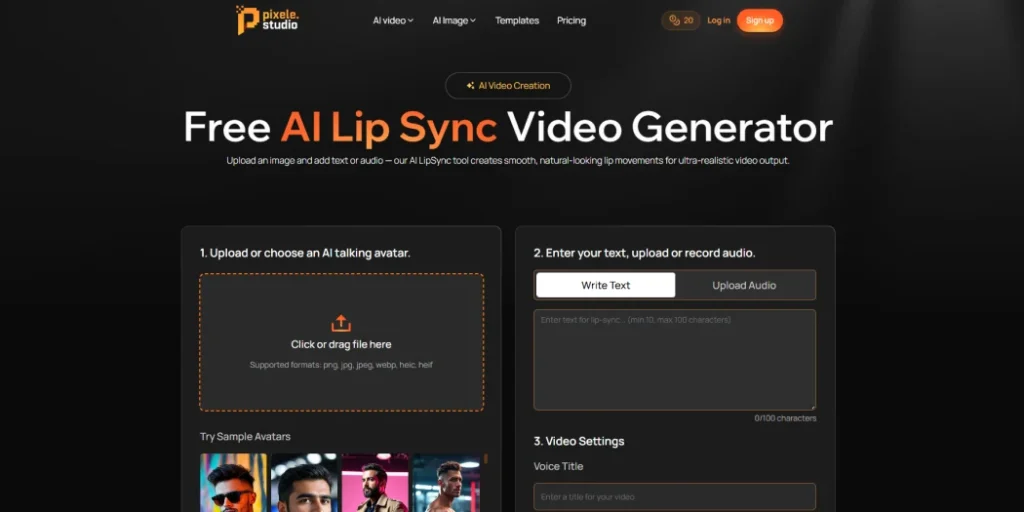
Pixele Studio makes it easy to turn a normal photo into a talking video. You can take any picture, even a selfie, and make it speak smoothly and naturally. The lips match the words, the expressions look real, and the final video feels clean and polished. You only need your photo and a short script or a voice recording, and the tool handles the rest for you.
You do not need any video editing skills or special knowledge. Simply upload your picture, add your text or voice, and choose a background if desired. Pixele Studio then creates the video for you. Once your video is ready, you can save it directly without doing any extra editing.
This tool is useful for many things, like social media posts, fun content, short promotions, or simple tutorials. Since it manages the photo, voice, and movement in one place, it becomes a helpful option for anyone who wants a realistic talking video quickly and with very little effort.
Pros
- High-Quality Output
- Fast rendering and easy export.
- Clean, watermark-free video downloads
- Available in AI video templates
- No complicated setup or editing needed
- Lips and expressions match the voice naturally
- User-Friendly Interface and perfect for beginners
Cons
- Not suitable for very long videos
- Some advanced styles may require payment
How to Use an AI Video Generator With Pixele Studio
Here are some steps to follow to consider:
1. Upload Your Photo: Choose or upload the photo you want to use for your video. Make sure it’s clear and of good quality for the best results.
2. Add Your Script or Audio: Next, type in your script or upload an audio recording. This is what the person in your video will say.
3. Customize & Preview: Use the tools to customize the style, background, and other templates. Make sure to preview it to check that everything looks good!
4. Generate & Download: When you’re happy with your customization and preview, just click the generate button. Once it’s ready, you can download your finished video in your chosen format.
2. Magic Hour

Magic Hour is one of the best AI video generators for free without a watermark. Simply provide your voice or text, and the tool will make the lips in your picture move in perfect sync. The result is a smooth, natural-looking video without any watermarks.
You don’t need any technical skills to use it. Just upload a photo or video, add your voice or text, and let Magic Hour do the rest. It’s a great tool for creating anything from social media content and ads to music videos. It’s easy enough for beginners but also powerful enough for professionals.
If you’re a content creator, business owner, or just enjoy making fun videos, Magic Hour offers a simple way to create AI videos in just a few minutes.
Pros
- Videos look smooth and natural, with a cinematic feel
- Easy-to-use interface, perfect for beginners
- Fast processing and stable performance
- Free videos can be downloaded without any watermark
Cons
- The free version only allows shorter videos
- Does not have advanced editing tools for complex projects
3. Synthesia
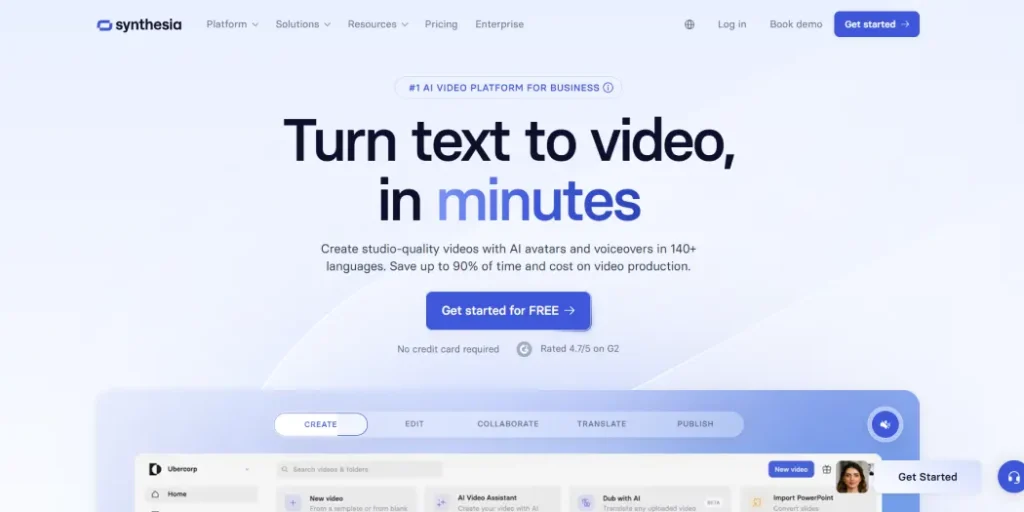
Synthesia is a well-known video platform used by businesses and educators to create professional-looking videos quickly. It is popular for making marketing videos, tutorials, and corporate messages without needing to record real people on camera.
The platform is great for consistency. It offers more than 140 virtual presenters and supports over 120 languages, making it easy for brands to produce videos in multiple languages. The presenters look polished and professional, perfect for corporate or educational settings.
Making a video is simple. You choose a presenter, add your text, pick a voice, and adjust the background or text style. In just a few minutes, you can create a ready-to-share, narrated video. While it is not designed for cinematic storytelling, it works perfectly for communication, teaching, and instructional content.
Even the free demo plan lets you create watermark-free sample videos, so you can try it out and see the quality before deciding to subscribe.
Pros
- Easy to create professional-looking videos quickly
- Large selection of virtual presenters
- Supports over 120 languages for multilingual videos
- Clean, polished videos suitable for corporate or educational use
- Free demo allows watermark-free samples
Cons
- Not ideal for cinematic or storytelling videos
- Limited customization compared to full video editing software
- The free version only allows short demo videos
4. HeyGen

HeyGen is a versatile video platform that makes creating videos easy and fun. It offers over 300 ready-to-use templates and more than 100 virtual presenters, so you can make videos for tutorials, training, presentations, or social media.
One of the standout features is the voice option, which supports over 40 languages and even matches lip movements to speech for realistic videos. You can also connect HeyGen with other apps through Zapier, making it simple to organize and manage your projects.
The platform also includes a script generator to help you create high-quality content quickly. With its user-friendly interface, HeyGen is perfect for beginners and anyone who wants to make professional-looking videos without complicated tools.
Pros
- Large template library
- Script generator helps create content quickly
- Multilingual voice support
- User-friendly interface, great for beginners
- Third-party integrations
Cons
- The free version may have limitations on video length or downloads
- Limited customization options
5. Pictory
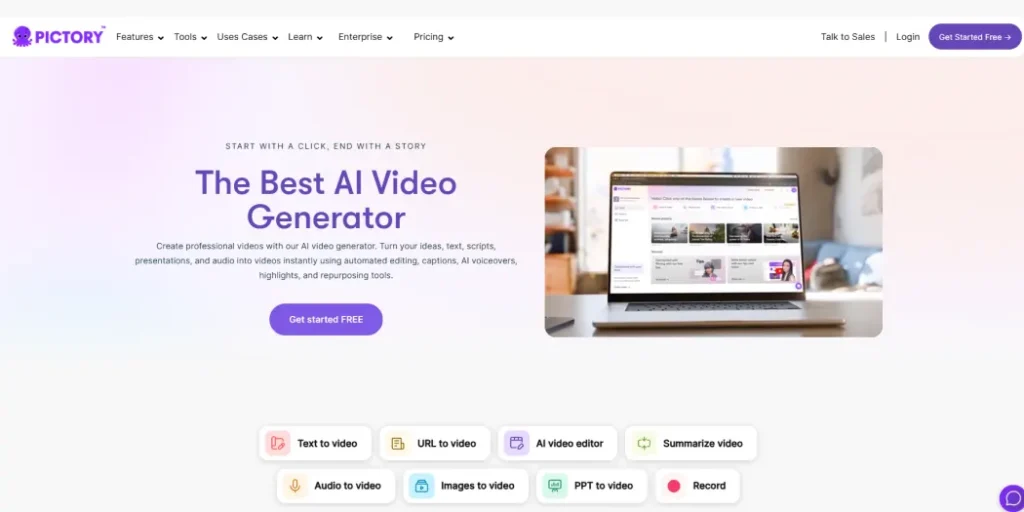
Pictory is great for anyone who likes to start with a script instead of a blank page. It turns written content like blog posts, newsletters, or video scripts into professional videos with visuals, transitions, and voiceovers.
The process is simple: paste your script or a link to an article, and Pictory’s AI creates a video outline, finds visuals, and adds narration. The AI voices sound natural and offer different tones and accents.
One standout feature is Pictory’s automatic captioning, which syncs subtitles perfectly to the voice track, making videos more engaging and accessible. The free plan allows you to create short videos without watermarks, perfect for trying it out or making quick social media clips.
Pros
- Convert the blog into a video in minutes
- Automatic captioning keeps subtitles synced with audio.
- The free plan allows watermark-free videos for testing
- Natural-sounding voices with multiple tones and accents
Cons
- Voiceovers can sound robotic
- Limited options for customizing visuals
6. Fotor
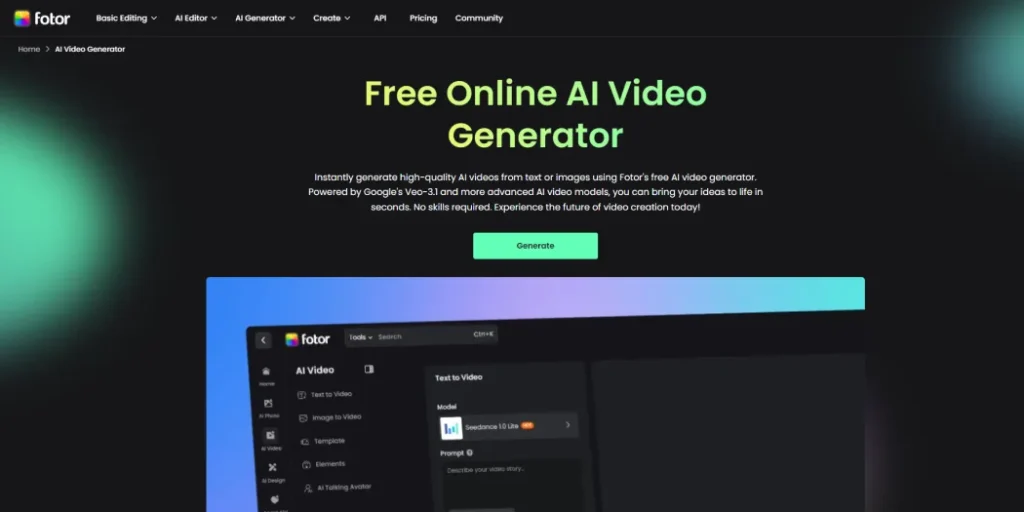
Fotor is a video tool that lets you get creative with a wide range of preset video styles. You can try different looks, like digital art, anime, or even 3D effects, giving each video a unique and fun feel.
One of the best things is that you can combine multiple videos to make something completely new. This makes it easy to mix themes, visuals, and ideas for your projects.
Fotor also helps turn long videos into short, attention-grabbing clips, which is perfect for social media platforms like TikTok or Instagram. You can quickly highlight the key moments or create shareable snippets.
On top of that, Fotor has a mobile app, so you can create, edit, and publish videos anytime, even when you’re on the go. It’s simple, flexible, and great for anyone who wants to make creative videos without complicated tools.
Pros
- Wide variety of preset video styles like digital art, anime, and 3D
- Mobile app allows editing and publishing on the go
- Turns long videos into short clips for social media easily
- Flexible video creation
Cons
- Limited features for customization
7. Pollo AI

Pollo AI is an unlimited free AI video generator without a watermark, allowing you to create clean, high-quality videos without restrictions. You can download your videos easily and use them anywhere without worrying about logos or branding.
It is a flexible tool where you can access many of the top video models in one place. You can create videos from text or images, making everything from animated clips to cinematic scenes or even 3D videos. The results are smooth and natural, giving your videos a professional look.
Pollo AI also comes with many templates, effects, and tools to help you edit or create videos quickly. The platform includes a feature called Pollo Canvas, which lets you use all the tools and models together, making it easy to bring your creative ideas to life.
Pros
- High-Quality Output
- Supports animated, cinematic, and 3D-style videos
- Multiple AI video templates
- Create videos from text, images, or a mix of both
Cons
- Some advanced features may require a paid plan
8. Vadoo AI
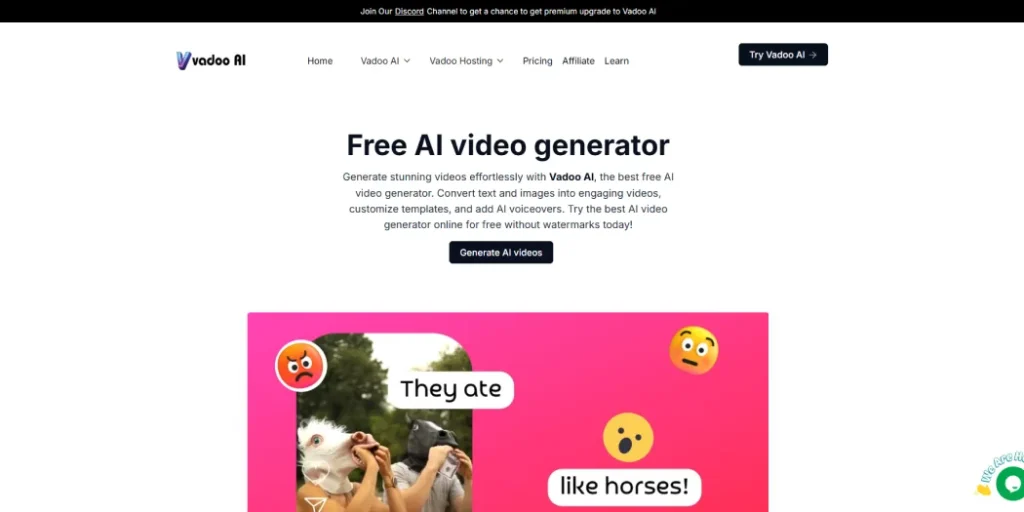
Vadoo is an all-in-one video tool that makes video creation easy for creators, marketers, and businesses. You can turn text, audio, images, or even a website link into a ready-to-use video within minutes, without needing editing skills.
The platform handles the difficult parts for you, writing scripts, adding voiceovers, matching subtitles, choosing transitions, and picking the right supporting clips. This makes it perfect for creating short videos for YouTube and other social platforms.
Vadoo also lets you add your own branding, choose from different voices, and export videos in many formats. Whether you’re new to video creation or already experienced, it helps you make polished, professional content quickly while saving time and effort.
Pros
- Very simple to use, suitable for both beginners and experienced creators
- Let’s you work with many top video and image models in one place
- Can turn text, audio, and images into complete videos within minutes
- Handles voiceovers, captions, transitions, and script writing automatically
- Supports many languages with natural-sounding voices
- Allows custom branding with your own logo, colors, and style
- Saves a lot of time and reduces the need for costly editing software
- Creates videos that are perfectly sized for YouTube, TikTok, Instagram, and more
Cons
- Not as flexible as advanced manual editing tools
- Some visuals and voice results may not feel fully natural in certain cases
The Future of Free AI Video Creation
AI video creation tools are getting better and more accessible every day. Now, anyone can turn blogs into videos, create avatars that lip-sync realistically, or even bring still images to life. These tools make it easy for creators of all skill levels to bring their ideas to life.
In the future, we can expect even simpler interfaces, faster processing, and more options to customize videos. AI-driven tools will allow for more creative freedom, better video quality, and smoother integration with other media platforms.
This technology is changing how stories are told, making high-quality video production available to everyone. Whether you’re an individual or a business, these tools are breaking barriers and empowering creativity like never before.
Quickly turn any photo into a talking video with our AI Lip Sync tool.
Conclusion
Finding a video generator that lets you download videos without watermarks can be tricky. But the 8 tools in this guide make it simple to create smooth, professional-looking videos.
If you’re looking for more features, styles, and clean downloads all in one place, try Pixele Studio AI video generator. It could be the perfect tool to bring your ideas to life and make your videos stand out.
Frequently Asked Questions
Yes, some tools offer clean downloads in their free plans. However, many platforms only allow watermark-free videos for short clips or limited features.
Pixele Studio is one of the best choices if you want clean, watermark-free videos without paying.
Pixele Studio is one of the easiest tools for beginners because everything is simple, clear, and quick to use.
Yes. Most of the video generators in this list support multiple languages and accents, making them suitable for global content.
Some tools support longer videos, but most free plans are designed for short clips. Paid plans usually offer more freedom for longer projects.
Yes, most well-known video generators like Pixele Studio are safe to use. They run on secure websites and protect your data. Just make sure you use trusted platforms and avoid unknown or suspicious sites.

Shantilal Materiya is the Founder & CEO of Tagline Infotech, driving innovation in AI-powered software solutions and helping businesses embrace the future of digital transformation services.


Recent Blog
AI Video Templates: Game-Changer for Viral Video Post

Creating a high-quality AI video for a viral post can be tough, especially for beginners. Most users struggle with effects and timing, formats, and making the video look good on every platform.
Pixele Studio offers a simple solution by providing ready-made designs. They remove all the confusing steps and give you a clean, professional AI video in a few seconds.
With features like ready-made designs, smooth movements, and simple options, you can use it easily.
Whether you’re a business, marketer, or content creator, Pixele Studio helps you save time and reduce video production costs with its AI video generator.
In this blog, we will explain why AI video templates are perfect for viral posts and share benefits and tips to create videos that grab attention and get shared more.
Why AI Video Templates are Perfect for Viral Video Posts
AI video templates are ideal for creating viral videos because they make the process fast and easy. You don’t have to design anything yourself. The structure, style, and flow of the video are already done for you.
Viral videos need fast movement and eye-catching visuals. These templates already include that, so your video looks attractive even if you are a beginner.
They also fit the current trending formats in social media videos and shorts. This helps your video grab attention in the first few seconds, which is very important for going viral.
Plus, a big benefit is speed. You can make a full video in just a few minutes without spending a long time.
These templates also help you keep your videos neat and consistent, which makes them more enjoyable to watch and easy for people to share.
Overall, these video templates remove the difficult parts and help you create viral-style content simply and quickly.
Pixele Studio Templates: Fast, Easy, and Ready-Made Video Designs

One of the biggest challenges for creators and businesses is making videos for different social media platforms, each with its own size and format requirements. This can be time-consuming and sometimes lead to mistakes.
Pixele Studio solves this by providing ready-made templates designed specifically for platforms like Instagram, TikTok, Facebook, and YouTube.
Fast Video Creation in 60 Seconds
Creating a video from scratch can take hours, but Pixele Studio makes it quick and simple. With ready-made templates, you can add your photo, text, or script and have a polished video ready in just 60 seconds.
This is perfect for creators and businesses who need to post content fast without spending too much time on editing.
Time-Saving Features
Editing videos often involves resizing, adding effects, and aligning elements, which can take a lot of effort. Pixele Studio’s templates take care of all that for you.
Everything is pre-arranged, so you can focus on your ideas and message rather than spending hours on technical work.
Templates for Instagram, Facebook, and More
Every social media platform has its own video size and format requirements. What looks perfect on Instagram might be cropped or lose impact on TikTok or YouTube.
Pixele Studio’s templates are designed to fit these requirements, giving you layouts optimized for each platform. Whether you’re creating Instagram Reels, TikTok clips, or YouTube Shorts, your video will always look professional.
This feature is especially helpful for marketers, creators, and influencers who post across multiple platforms regularly.
Online Usage: Ready-Made Designs for Every Style
All Pixele Studio templates are online, so you don’t need to download heavy software. You can access them from any device and start creating instantly.
From promo videos to trendy short clips and talking photo videos, there’s a template for every style. This makes it easy for anyone to produce engaging, professional content quickly.
Benefits of Using AI Video Templates for Creators & Businesses

Cost-Effective Video Creation
With free AI video templates, you can create great-looking videos without spending a lot of money. Since you’re using pre-made designs, you don’t need to hire a production crew or buy expensive editing software. This makes it possible for anyone, from small businesses to individuals, to make professional videos.
Accessibility and Ease of Use
These templates are designed for everyone. Anyone can use them to create videos easily and download them in just a few clicks.
No Advanced Skills Required
You don’t need any special video editing or design skills to use AI video templates. These tools automatically take care of the hard parts, like making sure everything looks good and lines up correctly.
Scalable Content Production
AI video templates help you create videos quickly and easily. Whether you’re making marketing videos for a small team or running campaigns on different platforms, these templates let you produce consistent, professional content without hassle.
Increase Engagement
Videos made with AI templates look polished and professional, which helps grab viewers’ attention. Because they look good and get the message across clearly, they tend to get more likes, shares, and comments on social media.
Better for Trend-Driven Content
AI video templates help you keep up with trends. With regular updates and new templates, you can quickly create videos that look modern and stay relevant.
Tips to Maximize Viral Video Using AI Templates

Using the right AI Video tool is a great start, but how you use it makes all the difference. Here are a few tips to help you get the most out of your AI video templates and boost your chances of going viral.
- Keep Videos Short and Engaging: Most users, marketers, and businesses prefer short videos. Videos around 15–20 seconds grab attention and keep viewers engaged.
- Follow Trends: AI video trends can help your videos reach more people. Keep an eye on what’s popular in your niche and put your own creative spin on it to match your brand.
- Add a Clear and Catchy Script: A well-crafted script is the best part of any successful video. Make sure the script is clear, engaging, and perfectly aligned with your target audience.
- Use Bright and Eye-Catching Images: When creating any video, first use a high-quality and eye-catching image. Bright visuals grab attention and make viewers stop scrolling.
- Use Trendy Audio: Using popular audio tracks in your videos can help connect with your audience. Trending audio can make your video more likely to be shared, helping it reach a wider audience.
- Optimize for Multiple Platforms: Every social media platform is different. To get the most views and engagement, you should adjust your videos for each one. Pay attention to details like video size, format, and length to fit what works best on platforms like TikTok, Instagram, or YouTube.
- Analyze Performance and Iterate: Check your video analytics to see what your audience likes. Look at views, engagement rates, and shares to find areas to improve. Use this information to make better videos and improve your content over time.
Quickly turn any photo into a talking video with our AI Lip Sync tool.
Conclusion
Pixele Studio Templates provide an all-in-one solution for creating professional and eye-catching videos across multiple social media platforms.
With features like ready-made layouts, trendy video formats, and easy customization, users can quickly create content that looks polished and platform-ready without spending hours on editing.
Whether you’re a creator, marketer, or small business, Pixele Studio Templates help you save time, maintain consistency, and produce engaging videos that capture attention and drive results.
Frequently Asked Questions
AI video templates are pre-designed video layouts that help you create professional and engaging videos quickly. They often include ready animations, effects, and layouts optimized for social media platforms.
These templates are designed with trending formats and attention-grabbing visuals, making it easier to create videos that attract viewers, get shared, and increase engagement.
No. AI video templates are built for beginners and professionals alike. You just add your images, text, or script, and the template handles the rest.
Most templates are optimized for TikTok, Instagram Reels, Facebook, and YouTube Shorts, ensuring your videos look perfect on every platform.
You can create a polished video in just a few minutes, depending on how much customization you add.
Absolutely. They save time, maintain consistent quality, and help both creators and businesses produce professional videos quickly without high costs.
Yes. Many templates follow popular social media trends, making it easier for your videos to fit the style and format that perform well online.
Some AI video templates are free, but many premium templates require a subscription or a one-time payment.
Yes. Using templates is much cheaper than hiring a video editor or creating content from scratch, especially for businesses and small creators.

Bipin Sakariya is the Co-Founder & CTO of Tagline Infotech, leading AI-driven technology initiatives and building future-ready digital solutions for global businesses.
Recent Blog

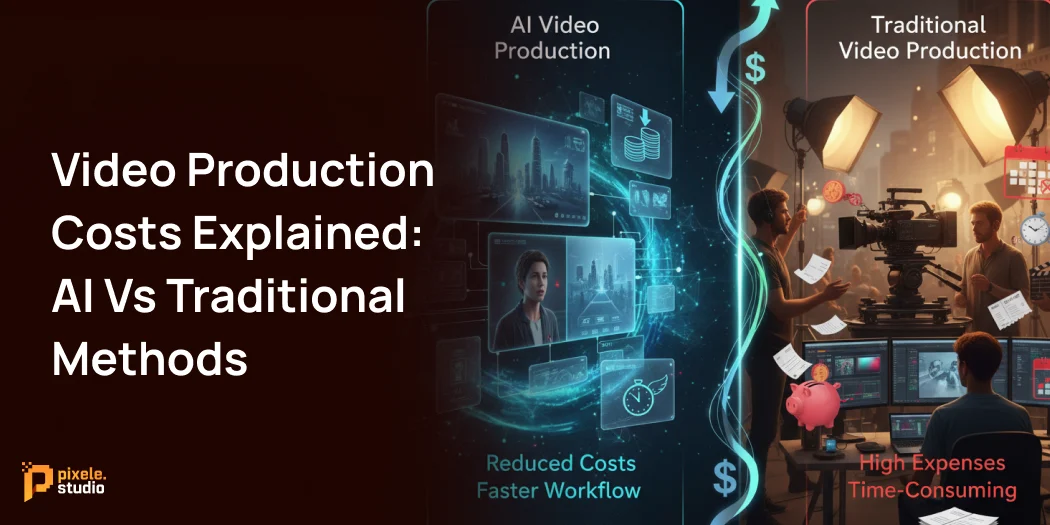
Video Production Costs Explained: AI Vs Traditional Methods

Video production costs have always been a major source of frustration for many businesses and marketers.
On average, businesses spend $1000 per minute on video production.
Many marketing teams have noticed how video has become a must-have for every brand today. But the problem is that traditional video production costs are so high that many businesses can’t create as many videos as they want.
Some companies still use the traditional method. Others are turning to faster and more affordable AI video tools to make more content with the same budget.
The gap between these two methods is big. The right choice can help you make more videos without spending extra.
So the main question is: which option is better for your business?
This guide compares the costs of traditional video production and AI video production, helping you choose what works best for your budget.
Traditional Video Production Costs Overview

The traditional cost of video production can range from a few thousand dollars for simple projects to hundreds of thousands for high-end commercials. The total cost depends on several key factors.
Pre-Production Cost
This is the planning stage, and it sets the direction for the whole project. Even though no filming happens here, this phase plays a huge role in shaping the final result.:
- Scriptwriting: Creating a clear and engaging script helps shape the full story of the video. Professional scriptwriters generally charge $200 to $300 per minute of finished video, depending on the complexity.
- Storyboarding: Turning the script into simple visual sketch styles helps everyone understand how each scene will look. Storyboard artists usually charge $10 to $70 per frame, based on the style and detail required.
- Casting: Hiring the right actors, models, or presenters depends on experience, time, and availability. Costs can range from $50 to a few hundred dollars per hour, and experienced talent may cost $1,000+ per day.
- Location Scouting: Finding indoor or outdoor locations that match the project can add up quickly. Scouting, permits, and location fees often fall between $100 and $500 per day, and premium locations can cost even more.
Production
This is the filming stage and usually the most expensive part of the entire process. Multiple professionals, equipment rentals, and location fees all come together on shoot day.
- Crew ($350–US$1000 per day Approx): A traditional set requires several skilled professionals, such as a director, camera operator, lighting technician, sound engineer, makeup artist, and production assistants.
- Equipment ($500–US$3,000 per day Approx): Better equipment means higher rental costs, and a full setup for one day can become expensive, especially for commercial-level productions.
- Actor Fees ($500-$3,000+ per day Approx): Actors, models, presenters, or voice artists are paid based on their experience and the time required. Well-known or highly skilled talent can significantly increase the budget, while smaller projects may use more affordable local performers.
- Location Fees ($500–US$5,000 per day Approx): Prime locations, public spaces, or high-demand venues can cost much more, and some locations also charge extra for electricity, security, or extended hours.
Post-Production
After filming, the raw footage goes into editing. This stage shapes the final look and feel of the video.
- Video Editing (US$60–150/hour): This is where all the raw clips are cleaned up and arranged into a clear story. The editor removes bad shots, keeps the good ones, and makes the video flow smoothly.
- Color Grading (US$100–300/hour): Once the edit is done, the colors get fixed. This step makes the video brighter, balanced, and consistent. It also helps create the right mood or style.
- Sound Design: Clean audio is important for a good viewer experience. This includes removing noise, balancing volume, and adding small sound touches if needed.
- Visual Effects (US$50–200/hour): Visual effects are used when something needs to be corrected or enhanced, like removing mistakes, adding small effects, or fixing issues that couldn’t be handled on set.
- Graphics: Simple elements like titles, name labels, icons, and small text overlays are added here. These make the video easier to understand and look more polished.
AI Video Production Costs Overview

AI video production cost is a simpler and more affordable option. Instead of needing a big crew and expensive equipment, you mainly use software. The AI video cost usually works on a subscription model.
These platforms include all the tools you need to make a video from start to finish. You pay a monthly or yearly fee to access their features. The price typically depends on things like:
High Quality Video
High-quality videos look sharper, clearer, and more professional, especially when exported in 1080p or 4K. These formats work well on bigger screens and give your content a clean, polished look.
Most platforms charge extra for these higher resolutions because they use more processing and storage, so the cost increases when you choose top-quality exports.
Advance Features
AI video tools also offer special features that make videos look more realistic.
These include things like changing the voice style, switching between male and female voices, choosing ready-made avatars, creating custom avatars, or making longer videos.
Most of these features are not available in basic plans, so if your project needs them, you’ll need a higher-priced subscription.
Number of Videos
Most AI video tools limit how many videos you can create or export each month, depending on your subscription plan.
For example, a basic plan might allow only 5 videos per month, while higher-tier plans could let you create 50 videos.
AI vs Traditional Video Production: Cost Comparison
The main difference between AI video vs Traditional Video Production is how much time, money, and control are involved.
| Factor | Traditional Video Production | AI Video Production |
|---|---|---|
| Initial Cost | High ($1,000 – $50,000+) depending on scale | Low (₹99 – ₹899) – Pixele Studio’s ₹99 plan allows creating up to 5 videos |
| Production Time | Days to weeks | Minutes to hours |
| Editing Costs | High (professional editor needed) | Low or included in the platform |
| Scalability | Limited | Very high |
| Revisions/Changes | Expensive (reshooting may be needed) | Cheap & fast |
| Equipment & Crew | Required (cameras, lights, actors, editors) | Not required |
| Quality Consistency | Variable (depends on crew & location) | Consistent |
| ROI (Return on Investment) | Moderate to low for small businesses | High |
When Should You Choose AI Video Production?
- Simple or Informative Content: If the goal is to explain ideas, show products, or provide quick tutorials, digital tools can create clean, professional-looking videos without a full production team.
- Limited Budgets or Startups: Startups and small businesses often cannot afford large video budgets. Using digital production tools allows the creation of quality videos at a fraction of the cost of traditional methods.
- Need Many Videos Quickly: Businesses that need several videos each month can save a lot of time. Digital tools let teams produce more videos in a shorter period than traditional filming.
- Fast Turnaround: If a video is needed in a day or two, these tools can generate content much faster than scheduling a shoot with a full crew, equipment, and editing team.
- Easy Updates: When videos need frequent changes, like updating text, product details, or visuals, digital tools make edits simple. There is no need to reshoot or redo the entire project.
When Traditional Production Is the Better Choice
- High-Quality Storytelling: For videos that need strong storytelling and emotional impact, traditional production captures real expressions and cinematic shots.
- Complex Visuals or Effects: If the video requires advanced camera work, special lighting, or high-end effects, a professional crew is necessary.
- Brand Image Matters Most: Big campaigns or product launches benefit from the polish and professionalism that traditional filming provides.
- Unique Locations or Real People: When filming in real locations or showing authentic interactions, traditional production ensures natural results.
- Long-Term or Evergreen Content: Videos meant to last for years, like commercials or corporate films, get more value from a higher-quality production.
Quickly turn any photo into a talking video with our AI Lip Sync tool.
Conclusion
Traditional video is best for big projects that need high quality. But for regular videos, using digital tools is faster and cheaper for most businesses, especially as the AI Video market continues to grow.
The best approach is to use both. Reserve traditional production for important videos, and use digital tools for everyday content.
Start by looking at your current video plan. Decide which videos need a full production team and which can be made quickly and easily. Plan most videos to be simple and fast, while keeping a few for high-quality work.
Watch the results closely. This balance will help your brand make more videos, reach more people, and get better value for money.
Frequently Asked Questions
AI video production uses software to create videos quickly and affordably, while traditional production relies on cameras, crew, actors, and physical equipment.
The AI video cost depends on the platform and subscription plan. For example, Pixele Studio starts at ₹99 for 5 videos, with higher plans offering more videos and features.
Traditional video production involves costs for equipment, crew, location, actors, and professional editing, which adds up quickly.
Yes. AI video platforms are ideal for small businesses because they allow professional-quality videos at a fraction of traditional costs.
AI video production can take minutes to hours, while traditional video production can take days or weeks due to shooting, editing, and revisions.
AI videos offer consistent quality and are great for marketing, social media, or educational content. Traditional videos may still be preferred for cinematic or high-end projects.
Yes. AI makes it easy to create multiple videos quickly, making it ideal for campaigns, social media, or repeated content, whereas scaling traditional production is costly and time-consuming.
Most AI platforms are user-friendly and require minimal technical skills. You can create professional-looking videos using templates and automated tools.
It depends on your goals. For frequent, cost-effective content, AI is best. For high-end cinematic content or brand storytelling, traditional production is still valuable.
Bipin Sakariya is the Co-Founder & CTO of Tagline Infotech, leading AI-driven technology initiatives and building future-ready digital solutions for global businesses.
Recent Blog
How to Write Effective Prompts for AI Video Generation

When creating AI-generated videos, the first step is writing an effective prompt. A well-crafted prompt guides the AI to bring your ideas to life with the right motion, lighting, and style.
Writing prompts that are clear yet creative can make a huge difference in your video results. The goal is to give enough detail without overwhelming the AI.
In this guide, we will show you how to write effective prompts for AI video generation that can help you achieve optimal video output. We will also explain some common mistakes to avoid and share helpful pro tips to create stunning AI videos.
By following these techniques, anyone from beginners to professionals can get consistent and high-quality video outputs.
First, what is an AI video prompt?
An AI video prompt is a short sentence or description that tells the tool what kind of video you want to create.
Bad prompt: “Make a video about fitness or something healthy.”
Better prompt: “Create a 30-second fitness video showing a morning workout routine with bright lighting, cheerful background music, and motivational text on screen.”
The second prompt works better because it gives clear direction. It tells the AI what the video is about, how it should look, and what kind of mood to create. Details like lighting, tone, and music help the AI build a video that feels more polished and professional.
Why Prompts Matter in AI Video Generation
A good prompt can mean the difference between a messy video and a professional-looking one. The AI creates the video based only on your text description, so the clearer your instructions are, the better the final result will be.
Good prompts give you creative control. You can adjust every part of your video exactly how you want. This accuracy helps reduce video production costs because you won’t need as much editing or have to film things again. When the AI understands your instructions the first time, you save time and money.
Step by Step: How to Write Effective Prompts for AI Video Generation

Ready to start creating? Follow these steps to write effective prompts for your prompt to video AI tool and get amazing results every time.
Step 1: Start with the Core Idea/Subject
Every great video begins with a clear core idea or subject. Think about what message or story you want to share. Is it a product demo, a motivational clip, or a short educational video?
Write this idea in a simple sentence. The clearer your subject is, the better the AI will understand what you want to create.
For example: “A short video showing how to make a healthy smoothie in under one minute.”
Step 2: Add Action and Movement
Videos feel more alive when they include action. Tell the AI what’s happening in each scene.
Use verbs like running, walking, showing, explaining, or smiling to describe the movement. This helps the AI create a dynamic video instead of a flat, static one.
Example: “A person adds fruits into a blender and pours the smoothie into a glass.”
Step 3: Set the Scene and Environment
Give context to where the action takes place. Mention the setting, background, or time of day if it matters.
A few words, like in a kitchen, at a beach, inside an office, or during sunset, help the AI visualize the surroundings better.
Example: “In a bright kitchen with natural light and a clean countertop.”
Step 4: Define the Visual Style and Mood
Your prompt should also express the tone or feel of the video. Do you want it to look cinematic, minimalist, or animated? Should it feel fun, calm, or emotional?
Adding style and mood helps the AI match the visuals with your message.
Example: “Bright and cheerful tone with pastel colors and smooth transitions.”
Step 5: Specify Camera Angles and Movement
If you want your video to look more professional, guide the AI on camera directions. Mention whether you want close-up shots, wide angles, panning, zooming, or slow motion.
These small details can make a big difference in how engaging your video feels.
Example: “Start with a wide shot of the kitchen, then zoom in as the smoothie is poured.”
Step 6: Include Audio Cues
Sound plays a big role in how people feel about a video. You can mention background music, voiceovers, or sound effects in your prompt.
Example: “Upbeat background music with gentle blender sounds and a friendly voiceover explaining the recipe.”
This helps the AI sync visuals and sound to create a more complete video experience.
Step 7: Iterate and Refine
Don’t worry if your first video isn’t perfect. Writing effective prompts takes practice. Watch the result, note what you like or dislike, and tweak your prompt accordingly.
Change one element at a time, such as the tone, visuals, or pacing, to see how it affects the final video. The more you refine your prompts, the better results you’ll get over time.
Mistakes to Avoid When Writing AI Video Prompts

Writing a great AI video generation from a text prompt also means knowing what not to do. Here are some common mistakes to avoid:
- Being Too Vague or General: If your prompt is unclear, the AI won’t know what kind of video to create. Always use specific details about visuals, mood, and actions to guide the output.
- Missing the Tone or Emotion: A video without emotion feels flat. Mention whether you want it to feel fun, calm, inspiring, or dramatic so the AI captures the right mood.
- Overloading the Prompt with Too Many Ideas: Trying to fit multiple themes into one prompt can confuse the AI. Stick to one clear message or concept per video for the best results.
- Forgetting Video Length and Format: If you don’t specify how long or what format you need, the video might not suit your platform. Always include details like a 15-second vertical ad or a 1-minute landscape explainer.
- Ignoring Sound and Music: Sound plays a huge role in viewer engagement. Add short notes about background music, voiceover tone, or sound effects to make your video more complete.
- Not Reviewing and Refining: After generating your video, take a moment to watch and analyze it carefully. Identify what needs improvement, then rewrite your prompt with small, clear adjustments for better output.
Pro Tips for Writing Better Prompts
Want to take your prompts to the next level? Here are a few expert tips:
- Iterate and Refine: Don’t expect your first prompt to be perfect. Just experiment! Change your descriptions, try different styles, and see what works best.
- Use Negative Prompts: Tell the AI what not to include. For example, if you don’t want text or blur in your image, you can add commands like “–no text” or “–no blur.” This helps make your final result cleaner.
- Study Other Prompts: See what other creators are making. Many online communities and galleries share prompts that worked well. This can give you great ideas.
- Stay Updated: The world of AI is constantly evolving. Keep an eye on new AI video trends to learn about updated features and techniques that can enhance your creations.
How Prompt Length Affects Results
The length of your prompt plays a major role in how well your AI video generator understands your idea. Both short and long prompts can work, but the key is to keep a balance between clarity and detail.
Short prompts often give the AI too little direction. For example, if you write “Make a video about travel,” the AI might not know the style, tone, or visuals you want. You’ll likely get a generic video that doesn’t fully match your vision.
On the other hand, very long prompts can confuse the AI with too many details or instructions. When you overload your prompt, the system may struggle to prioritize what’s important, leading to cluttered or inconsistent results.
The best approach is to keep your prompt short but specific. Include only the key details such as subject, style, emotion, and duration.
Quickly turn any photo into a talking video with our AI Lip Sync tool.
Conclusion
Effective prompts make all the difference in AI video generation. A well-written prompt gives the AI clear direction about the story, visuals, tone, and emotion you want to capture. When your message is clear, the AI can produce videos that look polished, professional, and creative.
Each word in your prompt helps shape the final video from camera movement and lighting to pacing and sound. The more specific and thoughtful your prompt is, the better your results will be.
So, try Pixele Studio and explore ready-made templates to create stunning videos in just a few clicks. It’s fast, simple, and perfect for anyone who wants professional-quality results without the effort.
Frequently Asked Questions
A prompt is a short written description that tells the AI what kind of video you want it to create. It includes details like the subject, setting, tone, and style so the AI can generate visuals that match your idea accurately.
An ideal prompt is usually two to four sentences long. It should be detailed enough to describe the main idea and mood, but not so long that it becomes confusing or repetitive.
Write a clear and focused description that explains what the video should show, its mood, and style. Keep it short with simple and specific details.
You can reuse prompts, but it’s best to make small adjustments for each video type. For example, a YouTube explainer might need a longer prompt, while a social media ad needs shorter, sharper instructions.
A strong prompt usually mentions the subject, action, visual style, tone, and audio cues. These details help the AI understand your creative intent and produce a video that looks and feels professional.
Review your generated videos carefully and note what works or doesn’t. Update your prompt with clearer words, better structure, and small details about visuals or sound to improve the results with each attempt.
Yes. Prompts that are too short often lead to incomplete videos, while overly long ones can confuse the AI. A balanced, focused prompt gives the most consistent and high-quality output.
Bipin Sakariya is the Co-Founder & CTO of Tagline Infotech, leading AI-driven technology initiatives and building future-ready digital solutions for global businesses.
Recent Blog
5 Mistakes to Avoid When Using AI for Video Creation

AI tools are changing how we create videos, enabling anyone to produce high-quality content quickly. These platforms can generate scripts, create images from text, and even add audio. But just having access to these tools doesn’t guarantee a great final product. Many creators make common mistakes that hurt the quality of their work.
Using a free AI video generator will definitely simplify workflow, but it is just as important to think through the common mistakes that can negatively affect the quality and performance of your video.
This post explores five common mistakes to avoid when using AI tools for video creation.
Mistake #1: Depending Entirely on AI Without Human Touch
The Mistake:
One of the biggest mistakes people make is expecting the tool to create a 100% ready video on its own. Many users think they can just type a few lines, hit “generate,” and get a perfect video. But that never really works.
The video might look okay, but it often feels flat, like something is missing. It doesn’t have your voice, your tone, or your creativity, which are the things that make a video feel real and connect with people.
Why It Happens:
- The process looks so easy that people assume no extra effort is needed.
- Many users get excited by quick results and skip personal edits.
- Some creators focus only on speed, not on storytelling.
How to Fix It:
Use the tool to make your job easier, not to take over completely. The best videos come from a mix of smart tools and human creativity.
Here’s what actually helps:
- Add your voice: Record a short intro or voiceover. Even a few seconds in your tone can make the video feel real.
- Rewrite and personalize: Go through the script and change parts that sound too formal or robotic. Make it sound like something you’d actually say.
- Adjust visuals and flow: Don’t just accept the first version. Rearrange clips, change music, and adjust timing until it fits your message.
- Review with fresh eyes: Watch your video as if you’re seeing it for the first time. Does it feel natural? Does it sound like you? If not, fix what feels off.
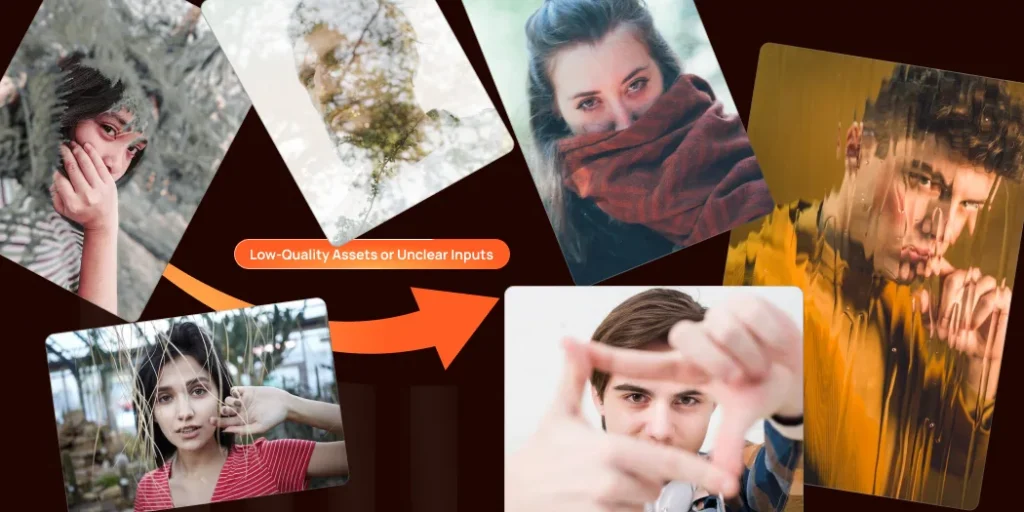
Mistake #2: Using Low-Quality Assets or Unclear Inputs
The Mistake:
Your AI-generated video’s quality depends on the quality of the images, audio, and instructions you give it. If you use blurry pictures, bad sound, or unclear text prompts, your video won’t turn out well. AI can’t make a great video from poor materials.
Why It Happens:
- Many creators are in a hurry and upload random clips without checking quality.
- Some believe the tool will automatically fix lighting, blur, or sound problems.
- People often give short or vague instructions that confuse the tool.
- Planning is skipped because the process seems fast and easy.
How to Fix It:
If you want your videos to look sharp and professional, start strong. Focus on giving the tool clear, high-quality material and well-structured directions.
Here’s what really works:
- Use clean visuals: Always choose clear, well-lit, and stable footage. Avoid dark or shaky clips.
- Pay attention to sound: Poor audio is one of the biggest reasons viewers lose interest. Record again if it sounds unclear.
- Write clear instructions: Tell the tool exactly what you want, like style, tone, and pacing.
- Plan before creating: A short outline or rough script helps guide the tool and keeps your video focused.
- Review before saving: Watch the preview carefully. Check that visuals, text, and sound flow naturally together.
Mistake #3: Ignoring Audio Quality
The Mistake:
Many creators focus so much on visuals that they forget how important sound really is. Even if your video looks great, poor audio can instantly ruin the viewer’s experience.
Crackling sounds, background noise, or uneven volume levels make it hard for people to stay engaged. Good visuals might grab attention for a few seconds, but it’s clear audio that keeps people watching until the end.
Why It Happens:
- Many people assume that clear visuals matter more than clean sound.
- Some creators record audio in noisy rooms or on built-in laptop mics without realizing the impact.
- When using automated tools, users often skip the sound-check step because the voiceover “sounds fine” at first.
- Creators rush to publish videos and don’t listen to the final version carefully.
How to Fix It:
Focus on your audio quality. If you’re using an AI voiceover, pick one that sounds natural and clear. Use AI video tools like Pixele Studio to make sure the audio matches the speaker on screen. Choose background music that fits the video’s mood but doesn’t drown out the voice. Check audio levels to keep everything smooth and professional.
Mistake #4: Skipping Script or Story Planning
The Mistake:
One of the biggest mistakes people make when creating AI videos is not having a clear plan or script. They open the tool and start putting clips together, hoping it will somehow turn into a good story.
But without direction, the video often ends up feeling messy, confusing, or too random. Even short videos need some kind of structure or message to keep viewers interested.
Why It Happens:
- People are in a hurry to publish content and skip the planning part.
- Many think the video tool will automatically arrange everything perfectly.
- Some feel they don’t need a script for short or simple videos.
- Beginners often focus only on visuals and forget about storytelling.
How to Fix It:
- Before you use an AI tool, plan your video.
- Write a script with a clear start, middle, and end.
- Think about the story and main point you want to share.
- A good plan helps you and the AI make a video that makes sense and has an impact.
Mistake #5: Publishing Without Reviewing or Editing
The Mistake:
A common mistake in AI video creation is publishing the video immediately after it’s generated. Many skip reviewing and editing, assuming the AI got everything right. This can lead to mistakes like awkward wording, mismatched visuals, or glitches, making the video look unprofessional.
Why It Happens:
- People get excited to share the finished video and don’t want to wait.
- They assume the video tool automatically corrects everything.
- Some creators don’t realize how minor mistakes can distract viewers.
- Tight deadlines push people to skip the final review step.
How to Fix It:
Always review the AI-generated video carefully before publishing. Check for grammatical errors, factual inaccuracies, and awkward visual transitions. Make any necessary edits to improve the flow and clarity of the content.
This final human review is essential for catching mistakes and ensuring your video is polished, professional, and ready for your audience.
Quickly turn any photo into a talking video with our AI Lip Sync tool.
Final Thoughts
The best AI tools for video creation in 2025 make it easier to create engaging content quickly. But they work best when combined with human creativity and judgment.
To make better videos, avoid common mistakes. Add your personal touch, give clear instructions, focus on good audio, plan your story, and review your work. By following these steps, you can get the most out of AI and stay ahead of new AI video trends.
Frequently Asked Questions
The most common mistakes include depending too much on the tool, using low-quality visuals, ignoring audio quality, skipping script planning, and publishing videos without reviewing them.
Start with good-quality visuals, clear audio, and a simple script. Then, review your video before publishing. The more effort you put into planning and checking, the more professional the result will be.
Yes, many free tools can deliver great results if used correctly. The key is to provide strong inputs — clear text, good visuals, and proper sound.
To make a unique video, give the AI clear and detailed instructions that match your brand's style. Upload your own logos, colors, and other assets. Add your personal touch to the script, and review the final video to make sure it fits your vision.
A video without a clear story feels disconnected. Planning helps you set a goal, stay on message, and keep viewers engaged from start to finish. Even a short outline can make your content flow smoothly.
Bipin Sakariya is the Co-Founder & CTO of Tagline Infotech, leading AI-driven technology initiatives and building future-ready digital solutions for global businesses.
Recent Blog
How Marketers Save Hours Weekly with AI-Powered Video Generation

Video marketing has become a must-have part for business success. It’s a powerful way to connect with audiences, build trust, and drive sales. But creating high-quality videos usually takes time, effort, and expertise. From writing scripts to recording and editing, marketers often spend countless hours perfecting their content.
Now, AI-powered video generation is changing this. They can take just an image or photo and turn it into a video in minutes. These tools automatically add voice, make sure lips move correctly, and create subtitles. This saves a lot of time for busy marketing teams.
For marketers managing multiple campaigns, AI video tools help create more content in less time, without sacrificing quality.
This blog post will explore how AI video generation saves marketers hours each week, allowing them to produce professional videos faster than ever.
Why Traditional Video Marketing Takes So Much Time
Traditional video making is a long and complicated process that takes up a lot of time for marketing teams. It involves many steps.
First, there’s a lot of planning before filming. This includes writing scripts, drawing out scenes (storyboarding), and getting all the resources organized. Teams also need to find places to film, set up schedules, and make sure all the necessary equipment is ready.
Filming is tough. Getting good shots means many takes, perfect lighting, and clear sound. Even a simple promo video can take hours to film for enough good material. If your marketing team doesn’t have video pros, tasks like camera work, lighting, and audio recording can be really hard.
Post-production is often the longest part of creating a video. Turning raw footage into a finished product is a complex process that demands both skill and time. Editors use specialized software to piece together the best takes, adjust colors, sync audio, and add graphics or effects. This stage can easily add days or even weeks to a project’s timeline, especially for those who aren’t expert video editors.
Budget problems also make these time issues worse. When marketing teams can’t afford pro equipment or outside help, they do everything themselves. This saves money but makes video projects take longer, and teams have to learn new tools on the fly.
What Is AI-Powered Video Generation?
AI-powered video generation means using artificial intelligence to make videos automatically. It helps people create AI videos without needing cameras, actors, or editing skills.
With this technology, you can upload an image, and the AI will turn it into a talking video within minutes. It can move lips, add voice, and even create subtitles by itself. Everything happens quickly and looks natural.
AI video tools make it easy for anyone to create professional videos for social media, marketing, or business use. You don’t need to spend hours recording or editing anymore.
In simple words, AI powered video generation saves time and money while helping you make high-quality videos in just a few clicks.
How AI Video Tools Help Marketers Save Hours Weekly

An AI-powered video generator saves a lot of time in marketing. What used to take days or weeks can now be done in just hours or even minutes, depending on the project.
Automated Script-to-Video Conversion
AI-powered video generation tools can turn your written text straight into engaging videos. Marketers just need to provide blog posts, product descriptions, or ad copy.
The system then automatically creates matching visuals, like images, animations, and transitions. This skips the long storyboarding and visual planning steps usually needed for traditional video production.
Instant Template Customization
AI video platforms offer ready-made templates for different marketing needs. Teams can easily use these templates for their business, saving time and keeping the videos professional.
Faster A/B Testing and Optimization
AI video generators make A/B testing faster. They quickly create many video versions with small changes. This lets marketers test different ideas at once and see what works best with their audience. It saves time, resources, and gets better results quickly.
Rapid Content Variation Creation
Marketing campaigns often need many different video versions. This could be for various platforms, different audiences, or just for testing.
An AI video generator can create lots of these variations from just one original video. It automatically changes things like video size, length, and message to fit platforms like Instagram Stories, YouTube ads, or LinkedIn posts. This means you can adapt your content in minutes instead of hours.
How to Get Started with AI-Powered Video Generation (Step-by-Step)
Step 1: Choose a Reliable AI Video Tool
Start by choosing an AI video tool that fits your needs. Look at things like how easy it is to use, what features it has, how much it costs, and what other people are saying about it. Many popular tools have free trials so you can try them out first.
Step 2: Upload Your Image
Once you have chosen your platform, start by uploading a photo with a clear face or select a ready-made avatar from the library. Supported formats include PNG, JPG, and WEBP. The AI will instantly detect facial features and prepare them for animation.
Step 3: Add Text or Audio
Type your message or upload a voice recording. The AI will automatically sync the lip movements and facial expressions with the voice for a natural, realistic look.
Step 4: Customize & Preview
Choose your preferred background, style, or template. You can preview the result in real time and make quick edits until it matches your brand or creative vision.
Step 5: Generate & Download
Click Generate to bring your video to life. Within seconds, you’ll have a high-quality AI video ready to download and share on your website, marketing campaign, or social media platforms.
Real-World Marketing Use Cases

Social Media Content Creation
Marketing teams are seeing huge benefits when they use powerful AI video generator tools to turn images into videos.
These tools quickly change regular product photos into engaging videos for platforms like Instagram Stories, Facebook ads, or TikTok. Teams that once struggled to post videos regularly on social media can now create daily content with much less effort.
Product Demonstration Videos
E-commerce and SaaS companies use AI to quickly create product demo videos. By uploading product images and descriptions, marketers can produce professional explainer videos that highlight features and benefits.
This is especially helpful for businesses with lots of products that need their own videos.
Personalized Video Campaigns
Smart AI tools let you make lots of personalized videos for different customers. You can add custom greetings, product suggestions, or messages based on what you know about each customer.
This makes it possible to create personal video campaigns that used to be too hard, no matter your team’s size.
Training and Educational Content
Internal marketing teams can use AI video tools to make training videos, videos for new employees, and educational content.
With AI, you can turn an image into a talking video that explains things clearly. This makes learning more fun and easier to follow. It also helps employees understand better and remember what they learn.
Event and Webinar Promotion
Marketing teams can quickly create promo videos for events, webinars, or product launches. AI tools help by generating content like previews, speaker introductions, or agenda highlights with just a little input. This is especially useful for companies that need regular promotional content for frequent events.
Quickly turn any photo into a talking video with our AI Lip Sync tool.
Future of Marketing with AI-Powered Video Generation
AI-powered video Generator technology is getting better and easier to use. New advancements in artificial intelligence are creating tools that make it hard to tell the difference between videos made by AI and those made by professionals.
AI video tools are also getting better at connecting with other software you already use, like marketing automation, CRM, and content management systems. This means you can create smoother workflows and even automate video creation based on specific events or customer actions.
Understanding AI video trends helps marketers get ready for future changes in technology. Real-time video creation, better voice generation, and more personalized content are just the start of what AI can do.
This technology is getting better. It will be easier to use, give you more creative freedom, and produce better videos. Marketing teams that start using these tools now will be ahead of the curve. They’ll also save time right away.
Conclusion
AI-powered video generation is changing how marketers make videos. It helps save time, reduce costs, and create high-quality content easily. With Pixele Studio, you can turn any image into a talking video in just a few minutes — no editing skills needed.
This smart tool lets marketers focus more on ideas and storytelling while AI handles the hard work. As video becomes more important in marketing, using Pixele Studio gives brands a faster and smarter way to stay ahead.
Frequently Asked Questions
Most marketing teams report saving 60-80% of their video production time when using AI-powered tools for appropriate content types. Simple social media videos that previously took 4-6 hours to produce can often be completed in 30-60 minutes using AI platforms.
Yes, modern AI video generators create high-quality content that looks professional enough for most marketing needs. While it might not replace big-budget productions, the results are great for social media, websites, and digital ads.
AI tools are great for creating explainer videos, social media posts, product demos, and templates like testimonials. For complex or highly creative projects, traditional methods may still be better.
Yes. Many tools offer voiceovers in multiple languages and automatic subtitles, making it easy to localize your video content without starting from scratch each time.
No. These tools are built for users without deep editing experience. You typically upload an image, add voice or text, preview, and download.
Shantilal Materiya is the Founder & CEO of Tagline Infotech, driving innovation in AI-powered software solutions and helping businesses embrace the future of digital transformation services.
Recent Blog
How to Make Money on YouTube With AI Video (Honest Guide)

YouTube is one of the most popular platforms to make money online. Millions of people watch and create videos every day. So many people upload content to YouTube, but not many of them actually earn money.
One factor is that it may take time, skill, and some costly equipment to create high-quality videos. This is where AI video tools can help. You can create videos in a minute, add audio automatically, and even create visuals automatically through artificial intelligence.
With AI videos on YouTube, beginners and creators can create content with speed and efficiency. And it can help you grow your channel, attract more viewers, and generate income through ads, sponsorships, or affiliate marketing.
In this guide, we will show you how to make money on YouTube with an AI video. You will learn the best AI tools, step-by-step methods, and useful tips to start earning without spending hours filming or editing.
Best AI Tools (Free & Paid) for Videos
Here are some of the best AI tools you can use to create videos on YouTube. These tools include both free and paid options, making it easy for beginners and professionals to get started quickly.
Pixele Studio (Free)
Pixele Studio is one of the best AI video tools for creating YouTube videos, including shorts, completely for free.
Its AI Lip Sync feature allows you to turn any static image into a talking avatar by adding your own text or audio.
The tool is beginner-friendly and works quickly, so you can generate videos in minutes.
Pixele Studio’s free plan lets you create AI lip-sync videos with daily credits, perfect for making short YouTube videos without any cost. If you want more features, paid plans start from around $1.12 for more credits, longer video lengths, higher-quality output, and no watermark.
Magic Hour AI (Free)
Magic Hour AI is an all-in-one AI platform that makes creating videos easier and faster. You can generate images, turn them into videos, create animations, do text-to-video, swap faces, and even make a character lip-sync to your dialogue. Most of its tools can be used for free without signing up.
Adobe Firefly (Free + Paid):
Adobe Firefly is a powerful AI tool that helps you create images, animations, and video content quickly. The free version lets you try basic features and create simple videos or visuals.
Paid plans unlock more advanced options, including higher-quality output, longer video clips, and additional creative tools. It’s perfect for creators who want professional-looking content without spending hours editing.
Pictory.ai (Text to Video)
Pictory.ai is an AI tool that turns text into engaging videos quickly. You just need to enter a script, article, or blog content, and Pictory.ai automatically creates a video with images, clips, and voiceovers.
The free plan lets you try basic features and create short videos, while paid plans unlock longer videos, higher resolution, and extra editing options. It’s perfect for YouTubers, marketers, or anyone who wants to make videos without filming.
Others to Explore:
There are many other AI video tools you can try to make YouTube videos. These tools can help you create videos from text, add voiceovers, animations, and more.
Some popular options are Runway ML, Synthesia, Lumen5, and InVideo. Most of them let you start for free, and you can pay for extra features or higher-quality videos. They are great for experimenting and finding the tool that works best for your channel.
How AI Video Can Help You Make Money on YouTube
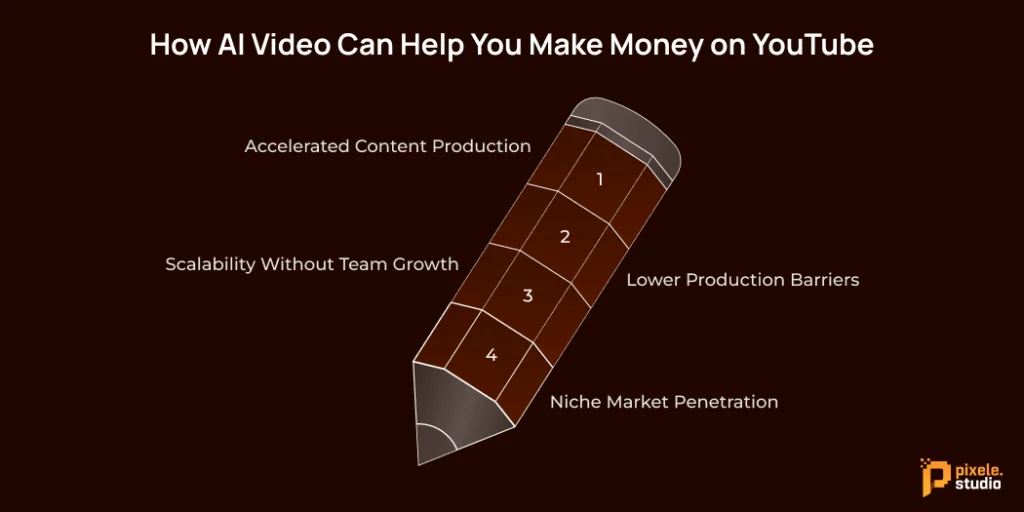
AI video can open several revenue streams that traditional creators struggle to access quickly. By understanding these opportunities, you can make money online with videos more easily.
Accelerated Content Production
On YouTube, speed is everything. AI tools allow you to post new videos every day instead of just once a week. This means you can earn more ad money faster. Publishing more content also gives you a better chance of going viral and getting more subscribers.
Think about it: if you create one video a week by yourself, you get 52 chances a year for a hit. But with AI, you can upload a video every day. That’s 365 chances a year—seven times more opportunities to succeed.
Lower Production Barriers
Creating videos the old way costs a lot. You need expensive cameras, lights, and editing software. Sometimes, you even need people to appear on screen. AI cuts out most of these costs. All you need is a laptop and the internet to run your whole studio.
This makes it easy to try out many different channel ideas at once. If an idea doesn’t work, you only lose some time, not thousands of dollars on equipment.
Scalability Without Team Growth
As a regular YouTuber, you’d need to hire editors, designers, and writers to grow your channel. With AI, you can do all these jobs yourself.
This means you can earn more money from your channel without spending more. Your profits grow as your channel grows, helping you build wealth over time.
Niche Market Penetration
AI video tools make it possible to enter niche markets that were once out of reach. You can now create content in different languages or make videos for concepts that are difficult to film.
This allows individual creators to enter new markets and expand their potential to make money online across various demographics and regions.
Step-by-Step Guide: How to Make Money on YouTube With AI Videos
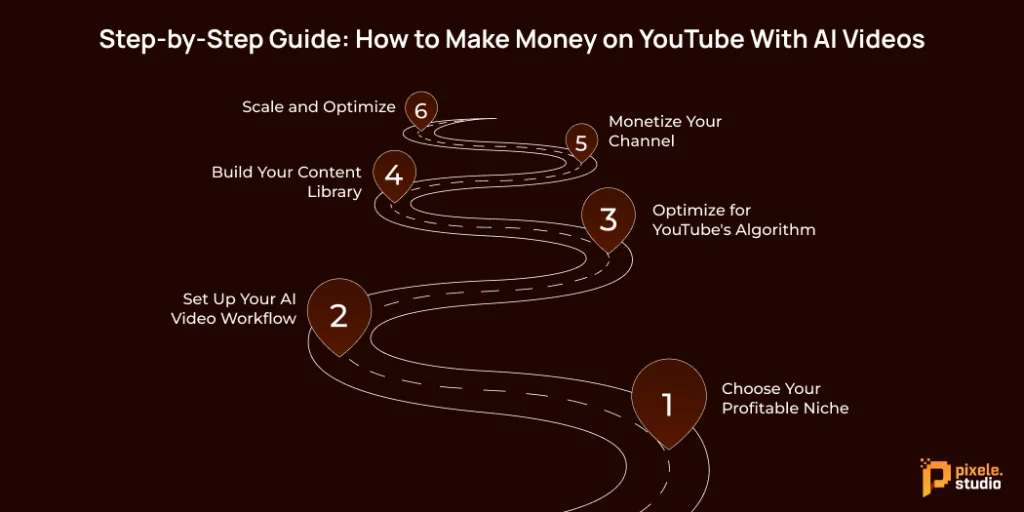
Want to succeed with AI-Generated Videos on YouTube? Follow this simple process to get started:
Step 1: Choose Your Profitable Niche
Look for high-paying topics (high-CPM) by using YouTube Analytics and checking popular trends on social media. Topics like finance, technology, health, and education usually earn more from ads than entertainment.
Make sure there’s interest in your ideas by checking how often people search for them. Tools like TubeBuddy or VidIQ can show you what people are looking for.
Step 2: Set Up Your AI Video Workflow
First, pick one main AI tool to use. Get really good at it before you try other tools.
Next, make templates for the types of videos you create most often. This helps you make videos faster and keeps their quality consistent.
Step 3: Optimize for YouTube’s Algorithm
AI-generated content must still follow YouTube best practices. Focus on:
- Strong thumbnails (AI can help generate these too)
- Compelling titles with target keywords
- Engaging openings that hook viewers immediately
- Clear calls-to-action for likes, comments, and subscriptions
Step 4: Build Your Content Library
Make many videos at once during dedicated work times. AI tools work best when you produce several pieces of content at the same time.
Plan your videos around what’s popular, special events, and topics that are always interesting. This smart way of planning helps your videos get popular fast and also shows up in searches over a longer time.
Step 5: Monetize Your Channel
Once you hit 1,000 subscribers and 4,000 watch hours, you can join the YouTube Partner Program.
Explore new ways to earn more money:
- Affiliate marketing within videos
- Sponsored content opportunities
- Channel memberships for loyal viewers
- Merchandise integration
Consider techniques like creating an AI lip sync video for more engaging content that can boost watch time and subscriber retention.
Step 6: Scale and Optimize
Look at your video data to find out which types of videos are most successful. Do more of what works well, but also try out new ideas slowly.
You can use Lip Sync AI for YouTube Shorts to make fun, short videos. These can send viewers to your longer videos.
Tips to Maximize Earnings with AI Videos on YouTube
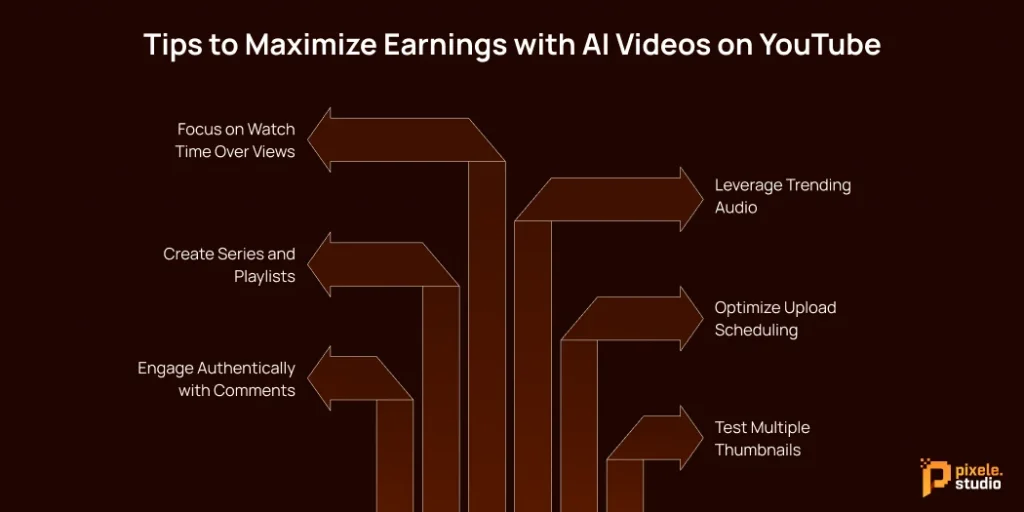
Here are a few advanced tips that can help you make money with AI videos:
Focus on Watch Time Over Views
YouTube’s algorithm focuses on how long people watch your videos. So, try to make AI videos that keep viewers interested from start to finish. Add small changes like new visuals, quick scene switches, or interesting storylines to hold attention.
Sometimes, AI-generated videos can feel a bit slow or uneven. It’s a good idea to review them manually and adjust the timing, so the video flows smoothly and matches how real people watch and enjoy content.
Leverage Trending Audio
Use AI visuals along with trending music or sound effects to make your videos more engaging. This mix usually performs better than using only AI-generated audio.
Keep an eye on TikTok and Instagram Reels to see which sounds or music are trending. You can use similar, copyright-free versions in your YouTube videos to attract more viewers and stay up to date with what people enjoy watching.
Create Series and Playlists
Make AI videos in a series with the same theme. If people enjoy one video, they’ll watch more from the playlist. This helps you get more views and earn more money from ads.
Optimize Upload Scheduling
Post your AI videos when your viewers are most active. This time is different for every channel, so check your YouTube Studio to see when your audience watches the most.
Engage Authentically with Comments
AI can create your videos, but personal engagement builds community. Respond to comments genuinely to boost video engagement signals.
Test Multiple Thumbnails
YouTube allows thumbnail A/B testing. Create several AI-generated thumbnail options and let data determine which performs best.
Quickly turn any photo into a talking video with our AI Lip Sync tool.
Conclusion
Making money on YouTube using AI-generated videos is completely possible if you follow the right steps. Start by using smart and easy AI Image tools such as Pixele Studio to create eye-catching visuals. Then plan your video carefully, from writing your script to editing and adding music.
Make sure your videos are optimized for YouTube by using catchy titles, clear thumbnails, and engaging content that keeps people watching. Always follow YouTube’s rules for monetization so your videos stay eligible to earn money.
The most important thing is to give value, whether you make people laugh, teach something new, or inspire them. AI helps you bring your ideas to life faster and with better quality.
Stay consistent, keep learning, and your YouTube channel will grow and start earning from your creative work.
Frequently Asked Questions
Many creators utilize AI tools to create faceless YouTube videos, tutorials, or short-form content. You can earn through ads, brand deals, affiliate links, and even by selling digital products.
Some of the best AI tools for creating videos include Pixele Studio, Pictory.ai, Synthesia, and Magic Hour. These tools help you quickly turn text, images, or ideas into high-quality videos.
No, you don’t need to show your face. AI tools can generate avatars, voices, and animations that let you make engaging faceless videos for YouTube.
Yes, AI videos are allowed as long as you follow YouTube’s community and copyright rules. Avoid using copyrighted images, voices, or clips that don’t belong to you.
Earnings depend on your views, niche, and ad rates. Some channels make a few dollars a day, while others earn thousands every month. Consistency and content quality matter most.
Popular types include educational explainers, news summaries, motivational videos, story-based shorts, and trending topic breakdowns — all made using AI visuals or voiceovers.
Not at all. Many AI tools, like Pixele Studio, offer free plans or affordable subscriptions that let beginners create videos easily.
Post videos consistently, use trending topics, create eye-catching thumbnails, and interact with your audience. Analyze your YouTube Studio data to know what works best.
Yes, AI tools can help you write SEO-friendly titles, descriptions, and tags that attract more viewers and increase watch time.
Avoid using only AI-generated content without editing. Always review your videos, check for errors, and make sure they connect emotionally with viewers.

Rakesh Mahale is the SEO Team Lead at Tagline Infotech, specializing in AI-driven SEO strategies that boost organically digital visibility and business growth.
Recent Blog
Top AI Video Trends to Watch in 2025

AI is transforming how we create and consume video content. In the year 2025, AI in the entertainment industry and digital marketing is progressing faster than ever before.
Tools that generate videos, create realistic avatars, or turn photos into videos are making content creation simpler, faster, and more creative.
Brands, creators, and marketers are utilizing AI video tools to save time, reach a broader audience, and create content that stands out.
From social media posts to brand campaigns, AI helps everyone create premium videos without the long hours of work it would typically require.
In this blog, we’ll explore the top AI video trends to watch in 2025 and show how AI is shaping the future of video creation for businesses and creators alike.
Top AI Video Trends to Watch in 2025
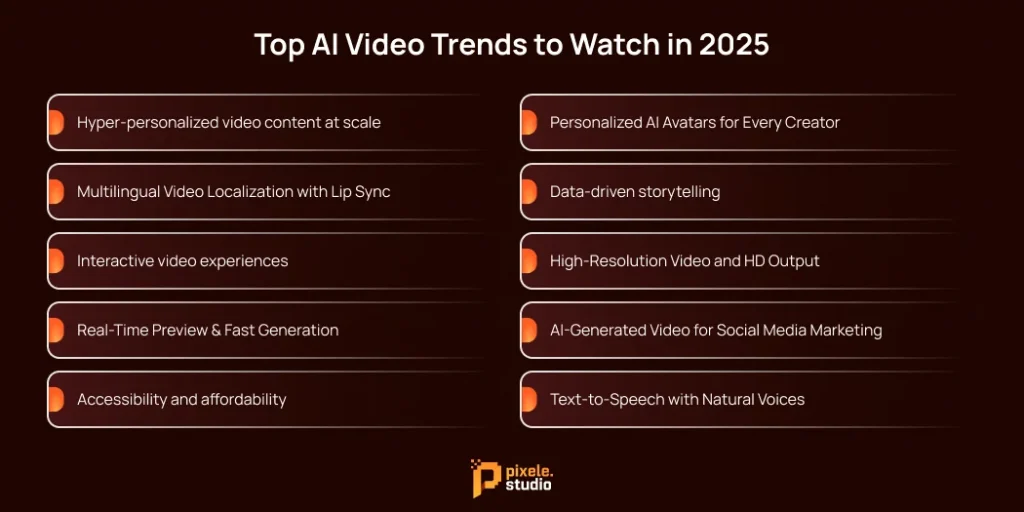
As AI video continues to evolve, certain latest AI video trends 2025 are becoming more visible, highlighting the future direction of AI-powered video creation.
Trend #1: Hyper-personalized video content at scale
In 2025, one of the latest AI video trends is hyper-personalization. AI is helping create videos that feel personal for each viewer. Videos can now show content based on what a person likes, watches, or searches for. This makes videos more interesting and engaging for everyone.
For businesses, this is very beneficial. Personalized videos can get more attention, encourage people to buy, and make customers feel more connected to a brand.
For example, an online shop can send videos showing products that match what a customer looked at before.
With AI, making these personal videos for many people is now easy and fast. What used to take a lot of time and staff can now reach thousands of viewers quickly.
Trend #2: Multilingual Video Localization with Lip Sync
AI is making it easier to create videos in multiple languages. With multilingual video localization, a single video can be adapted for viewers around the world. AI can even match the speaker’s lips to the new language, making it look natural and real.
This trend is very useful for brands and creators who want to reach global audiences. Instead of making separate videos for each language, AI can quickly create localized versions, saving time and money.
With these tools, more people can enjoy videos in their own language, and businesses can connect with audiences everywhere without extra effort.
Trend #3: Interactive video experiences
AI is helping make videos more interactive. Instead of just watching, viewers can now click, choose options, or even influence the story in real time. This makes videos more fun, engaging, and memorable.
For brands and creators, interactive videos can increase viewer interest and keep people watching longer. For example, a product video can let viewers explore features or choose what they want to see next.
AI makes it easy to create these interactive experiences, helping content feel more personal and exciting for everyone.
Trend #4: Real-Time Preview & Fast Generation
One of the trending AI video trends 2025 is being able to see your video instantly. With real-time preview, you don’t have to wait long to know how your video looks. You can try effects, change scenes, or adjust animations and see the results right away.
Fast generation is another benefit. AI can now turn scripts or simple images into full videos in just a few minutes. You can also use AI video templates to speed up production even more, helping you create polished videos in less time. This means creators, marketers, and brands can make videos quickly without worrying about quality.
Real-time preview and fast generation together save time, make creating videos easier, and give more freedom to try new ideas. These tools are becoming must-haves for anyone making videos in 2025.
Trend #5: Accessibility and affordability
AI video tools in 2025 are seriously affordable and easy for everyone to use. You do not need expensive software or powerful computers to make great videos.
Many platforms like Pixele Studio now offer simple tools and low-cost plans so anyone, whether a creator, a small business, or a beginner, can start making videos quickly.
This makes it easier for more people to share their ideas and stories. With affordable and accessible AI video tools, everyone can create high-quality videos without spending a lot of money or time.
Trend #6: Personalized AI Avatars for Every Creator
Artificial intelligence is helping creators make their own digital avatars easily. These avatars can look like you, copy your voice, and even show your expressions in videos. This means you can create videos without always being on camera.
AI avatars are great for social media, tutorials, live streams, and marketing videos. They make videos more fun and help you connect with your audience in a new way. Even small creators or businesses can use AI avatars to make professional-looking videos without spending a lot of time or money.
With AI avatars, you can make unique characters, share more ideas at once, or even make videos in different languages. In 2025, AI avatars are not just a trend—they are becoming an important tool for every creator.
Trend #7: Data-driven storytelling
Data is changing the way stories are told in videos. By looking at trends and what viewers like, creators can make content that people enjoy and engage with more.
This approach works for marketing videos, social media posts, tutorials, and more. It helps creators plan their content better, share the right message, and get better results without guessing what will work.
Using data to guide video ideas makes it easier to connect with audiences. In 2025, smart storytelling based on data is becoming one of the most effective ways to create successful videos.
Trend #8: High-Resolution Video and HD Output
Video quality has improved a lot in recent years. Today’s AI tools can create high-definition (HD) videos that look clear and professional. The visuals are now sharp enough for social media, marketing, tutorials, and even short films.
This means creators and businesses can produce videos that look polished without expensive cameras or big teams. HD output makes content more engaging and enjoyable for viewers.
Because high-resolution videos are now standard, people expect better and clearer results. This is pushing AI tools to improve even more, making videos sharper, smoother, and more lifelike with every update.
Trend #9: AI-Generated Video for Social Media Marketing
Now, social media is more popular than ever, and lots of people spend hours scrolling every day. Short videos are the most liked and shared content because they are quick and easy to watch.
AI-generated videos help creators and businesses make these short videos fast. With just a few clicks, you can turn ideas, text, or pictures into eye-catching videos ready for Instagram, TikTok, YouTube, and Facebook.
This makes it easier to reach more people, keep viewers interested, and save time. In 2025, using AI to make social media videos is becoming one of the best ways to grow your audience.
Trend #10: Text-to-Speech with Natural Voices
Text-to-Speech (TTS) technology is getting very natural. AI can now turn written words into speech that sounds like a real person, with a clear tone and emotions. This makes it easier for creators and brands to add voice to their videos without hiring voice actors.
TTS is useful for YouTube videos, social media clips, tutorials, or marketing content. It also helps reach more people by offering multiple languages and making videos easier to understand.
With AI voices improving every day, TTS is becoming a simple and powerful tool for anyone making videos. It helps create professional, engaging content quickly and easily.
Quickly turn any photo into a talking video with our AI Lip Sync tool.
Conclusion
Make your videos smarter and more creative with Pixele Studio’s AI video tools. From realistic AI avatars to turning text into videos, Pixele Studio gives you everything you need to make high-quality videos easily.
Whether it’s for social media, marketing, or just for fun, Pixele Studio helps you create eye-catching videos fast, without needing any advanced skills.
Try Pixele Studio today and see how AI video tools can make your videos stand out.
Frequently Asked Questions
AI video is becoming smarter and easier to use. The newest trends include making videos from text, creating realistic AI avatars, adding natural-sounding AI voices, and automatically improving video quality.
Yes, AI tools can create videos from text, images, or simple instructions. While human guidance improves creativity, AI can handle most of the technical work automatically.
AI video is popular in marketing, social media, education, and entertainment. Brands and creators use it for ads, tutorials, short clips, and animated content to save time and make videos more engaging.
Yes, AI video is safe and legal if you respect copyright and privacy. Always get permission before using someone else’s face, voice, or content.
Many AI video tools offer affordable plans, and some even have free versions. Compared to traditional video production, AI is often faster and more cost-effective.
Bipin Sakariya is the Co-Founder & CTO of Tagline Infotech, leading AI-driven technology initiatives and building future-ready digital solutions for global businesses.
Recent Blog
8 Ways Lip Sync AI Will Transform the Entertainment Industry

In the entertainment world, technology continues to change the way we create and enjoy content. From the early days of sound in movies to computer-generated graphics, every new idea has brought something fresh to the industry.
Now, a new tool is making big changes—Lip sync AI. It helps match lip movements with spoken words to make videos look real. It sounds simple, but it can do a lot.
From Hollywood movies to small game studios and TikTok videos, AI lip sync is already changing the way creators work.
In this blog, we will look at the top 8 ways lip sync AI is transforming the entertainment industry and helping everyone create better and faster content.
8 Ways Lip Sync AI Will Transform the Entertainment Industry

Artificial intelligence is not just a thing of the future anymore. It is a smart tool that is already transforming the entertainment world in many different ways.
Here are 8 ways AI lip syncing is changing how we create and enjoy content.
1. Revolutionizing Movie Dubbing and Localization
For years, foreign films have been viewed by international audiences with dubbed audio that rarely matched the lip movements of the original performance.
This disconnect can be jarring, pulling viewers out of the story and creating a less immersive experience.
Lip sync AI solves this problem by digitally changing the actor’s lip movements to the translated language.
Instead of just listening to a new language, audiences will see it spoken naturally. This technology will make international films more accessible and engaging, allowing stories to cross cultural boundaries more effectively than ever before.
For filmmakers, it means a wider global reach without compromising the original performance’s integrity.
2. Enhancing Virtual Influencers and Digital Avatars
With more digital avatars and AI influencers available online, Lip sync AI
has become very important. This helps these digital personalities to speak naturally with the right lip movements and expressions. They can even speak different languages and still look real.
Brands use AI influencers to engage people in a new way. These digital avatars can respond to comments or questions in real time, making them feel more real and friendly.
For companies, digital avatars are a smart way to share messages, control tone, and keep communication consistent, while also giving audiences a fun and interactive experience.
3. A social media boost for content creators
Content creators on platforms like TikTok, Instagram, and YouTube are constantly looking for new ways to engage their audience.
A lip sync video AI provides an exciting new tool for creating viral content. Imagine creators flawlessly lip-syncing to famous movie quotes, song clips, or original audio in multiple languages.
This technology makes it easy to create fun and creative videos, like comedy sketches or dramatic scenes, with perfectly synced visuals. As more people use it, we’ll see a lot more exciting and shareable content on social media.
4. Making Marketing and Advertising More Engaging
Marketers are always looking for new ways to grab people’s attention. An AI lip sync tool for marketing videos helps them create ads that feel more exciting, personal, and engaging for their audience.
Brands can use AI to create videos of their spokespeople or cartoon characters speaking directly to different groups of people, with their lips matching the words perfectly.
Imagine a global ad campaign where the same person speaks fluently in many different languages. This creates a much more personal connection with local audiences. The result is advertising that’s more engaging, memorable, and ultimately more effective.
5. Smooth production workflows
In film and television, post-production can be a lengthy and expensive process. If an actor needs to re-record a line of dialogue (a process known as automated dialogue replacement, or ADR), it often requires a costly reshoot or careful editing to hide the mismatched lip movements.
Lip sync AI makes this process much smoother. Instead of refilming scenes, editors can use the AI to automatically change an actor’s mouth movements on screen so they perfectly match the new sound.
This saves a lot of time and money, freeing up production teams to work on other creative parts of the project.
6. Improving Video Game Character Realism
The video game industry has come a long way in making realistic characters and worlds. But animating dialogue is still tricky.
Creating lip movements for thousands of lines of dialogue takes a lot of time and effort, and it doesn’t always look natural.
Lip sync AI does this automatically. It creates very real-looking lip movements for characters in games. This makes the game look better and gives animators more time to focus on other things, like character emotions and body language. Players get a game that feels more real and pulls them in.
Game creators can also use lip sync AI for short YouTube videos to show off their games with quick, realistic character clips.
7. Speeding Up Animation and CGI Production
In traditional animation, creating realistic lip movements is a slow process where animators have to draw each frame by hand. This takes up a lot of time. Lip sync AI automates this process, which significantly cuts down on production time.
Animators can use AI to automatically create lip-sync animations by providing a character model and a voice track. This helps animation studios create high-quality content faster and more efficiently, whether for shows, movies, or special effects.
Some creators are even searching for lip sync AI tools to try out on their own projects.
8. VR and AR Characters More Lifelike
Virtual reality (VR) and augmented reality (AR) are getting better. This means people want virtual characters to look and act more real. In VR games or AR apps, interacting with lifelike avatars makes the experience feel real.
Lip sync AI helps these virtual characters speak and interact in a way that looks natural. When you talk to a digital avatar in a VR meeting or an AR game, its mouth movements will perfectly match its words. This makes the interaction feel more natural, like talking to a real person.
Quickly turn any photo into a talking video with our AI Lip Sync tool.
Conclusion
Lip sync AI in the entertainment industry is not just a new technology. It’s a game-changing tool that will completely reshape how we create and enjoy entertainment. It helps break down language barriers, makes digital worlds feel more real, and simplifies the production process.
As AI gets better, we can expect even more exciting ways it will change storytelling for the future.
If you want to see this magic yourself, try free Lip sync AI from Pixele Studio and bring your videos to life in a whole new way.
Frequently Asked Questions
Lip Sync AI is a technology that matches lip movements in a video with spoken words, making characters or people look like they are speaking naturally.
Lip sync AI will make creating movies, games, and videos faster, easier, and more realistic. Tools like lip sync AI help videos look natural and reach more people.
It makes dubbing easier, faster, and more realistic, allowing movies to be localized for different languages without losing emotion or expression.
Yes! Creators on TikTok, YouTube, and Instagram can make fun, accurate, and engaging videos with perfectly synced lip movements.
It makes digital characters’ speech look natural, helping them connect better with fans and appear more realistic online.
Absolutely. It reduces the need for re-recording, manual editing, and lengthy production, saving both time and production costs.
Yes. Lip Sync AI can adjust lip movements to match any language, making content accessible to global audiences.
Shantilal Materiya is the Founder & CEO of Tagline Infotech, driving innovation in AI-powered software solutions and helping businesses embrace the future of digital transformation services.
Recent Blog
Real vs AI Video: What’s the difference?

The line between real videos and AI videos is getting blurry. Many people are now asking: Can I actually tell the difference?
A real video is captured with a camera. It shows real people, real places, and real events.
An AI video is made by computer software. It creates clips that look real but are not.
The problem is that AI videos are so close to real ones that even smart viewers get confused. This is why knowing the difference is very important today.
In this blog, we will cover the basics of real vs AI video, show the key differences, and give you a fun AI vs Real Video test. This will help you stay alert, avoid fake content, and understand how AI is changing the way we watch videos.
What is a Real Video?
A real video is a video recorded with a camera that captures actual people, places, and events happening in real life. It is not made or generated by artificial intelligence or computer software.
Making a real video is a hands-on process. The process begins with a concept or a script, followed by pre-production planning like location scouting and casting. During production, a crew will shoot the scenes on set or on location.
Finally, during post-production, the raw footage will be edited, sound will be added, color grading will happen, and visual effects will be added. Every frame of a real video is a physical moment that was captured in reality.
What is an AI Video?
An AI video is a video created by artificial intelligence. It can be made from scratch or by using an existing video as the base. AI then edits or changes the clip through computer tools.
The process works by generating new footage from text or visual prompts. It can also improve existing videos with automatic edits and effects.
This makes it possible to create professional-quality videos quickly. It also saves cost and time compared to traditional video editing.
Real vs AI Video: Key Differences Explained
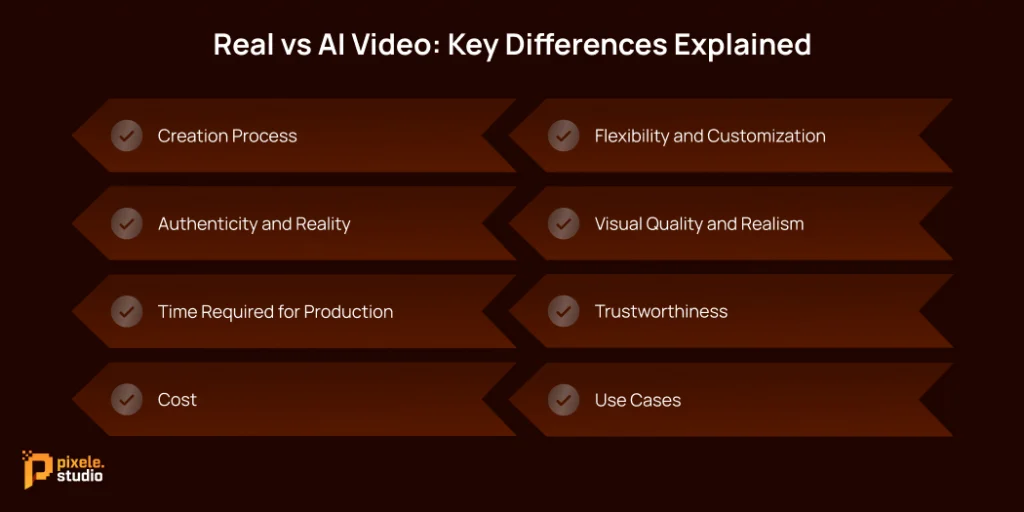
Even though real and AI videos can look very similar, it’s important to know the difference in AI video vs real video. The main differences are how they are made, how real they feel, and how much you can change or edit them.
Creation Process
Real videos are created by filming a scene in real time with cameras, actors, lighting, sound recording, and a physical environment. This requires recording live action in physical space.
AI videos are created with computer programs using artificial intelligence algorithms for completely new or modified video content. The AI generates video content based on input like scripts, images, or text prompts. No cameras or live actors are needed.
Authenticity and Reality
Real videos show actual events, so everything you see is real. The actions, emotions, and surroundings are genuine.
AI videos can look very real, but they are made by computers. They can show things that don’t exist in real life. This means AI videos can be convincing, but they are not truly real.
Time Required for Production
Creating real video usually takes a lot of time. Shooting, editing, and post-production can take days or even months, depending on the project.
AI videos are faster because the software can generate scenes quickly. Some complex AI videos may take a bit more time, but overall, they are much quicker than real filming.
Cost
Real videos can be expensive because they need cameras, actors, locations, sets, and editing.
AI videos are usually cheaper because you only need the software and computing resources. There is no need for a full production team, which saves a lot of money.
Flexibility and Customization
Real videos can only show what is real. To change a scene, you have to film it again or pay a lot for changes.
AI videos are more flexible. You can change people, remove backgrounds, add AI avatars, and make changes fast and cheap. You can even make new scenes without starting over. This makes AI videos very easy to use for different things.
Visual Quality and Realism
AI videos look much better now, but real videos still have an edge. AI can create amazing effects and details, even things you can’t do with regular filming.
However, real videos often feel more natural. They capture real textures, light, and human emotions better, which makes them seem more authentic. AI is getting closer to this realism, but making something truly lifelike is still a challenge for it.
Trustworthiness
Real videos are usually more trusted because they show real events or people.
AI videos are computer-based, but they can also be trusted if created using reliable and professional apps or software. When choosing the right AI lip sync tools, videos can be accurate, safe to use, and suitable for marketing, education, or other professional purposes.
Use Cases
Real videos are best for movies, documentaries, ads with real actors, and events where showing real life is important.
AI videos are good for marketing, training, animations, simulations, or situations where filming is too expensive or impossible. They are also useful for creating content quickly for social media or personalized videos.
Pros and Cons of Real Videos
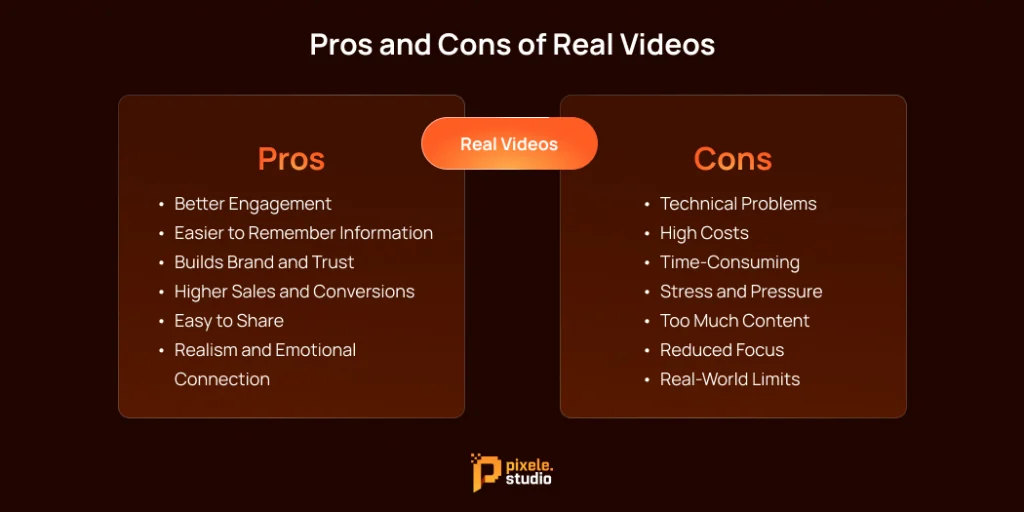
Pros of Real Videos
- Better Engagement: Real videos, especially live videos, let the audience interact immediately. Viewers can give feedback in real time, which makes them feel closer and more connected.
- Easier to Remember Information: Watching videos helps people remember information better than reading or listening alone. This makes real videos useful for learning or explaining things clearly.
- Build Brand and Trust: Good video content can increase awareness of your brand and make people trust you more. It shows personality, professionalism, and expertise.
- Higher Sales and Conversions: Videos can influence buying decisions. Showing products or services in action often leads to more purchases and higher revenue.
- Easy to Share: Videos are popular on social media and are often shared, helping your content reach more people and even go viral.
- Realism and Emotional Connection: Live-action videos feel real and authentic, which helps create strong emotional connections with viewers.
Cons of Real Videos
- Technical Problems: Live videos can face issues like poor internet, bad sound, or camera problems that disrupt the viewing experience.
- High Costs: Making real videos, especially high-quality ones, can be expensive. You may need cameras, software, and skilled people to help.
- Time-Consuming: Planning, shooting, and editing videos takes a lot of time and effort.
- Stress and Pressure: Live videos can be stressful because mistakes can’t be easily edited out.
- Too Much Content: There is a huge amount of video content online, making it harder for your videos to stand out.
- Reduced Focus: Fast-paced videos can make people expect instant results, which can make it harder to focus on longer tasks.
- Real-World Limits: Real videos are limited by physical rules and practical situations, so some scenes or ideas can be hard or impossible to film.
Pros and Cons of AI Videos
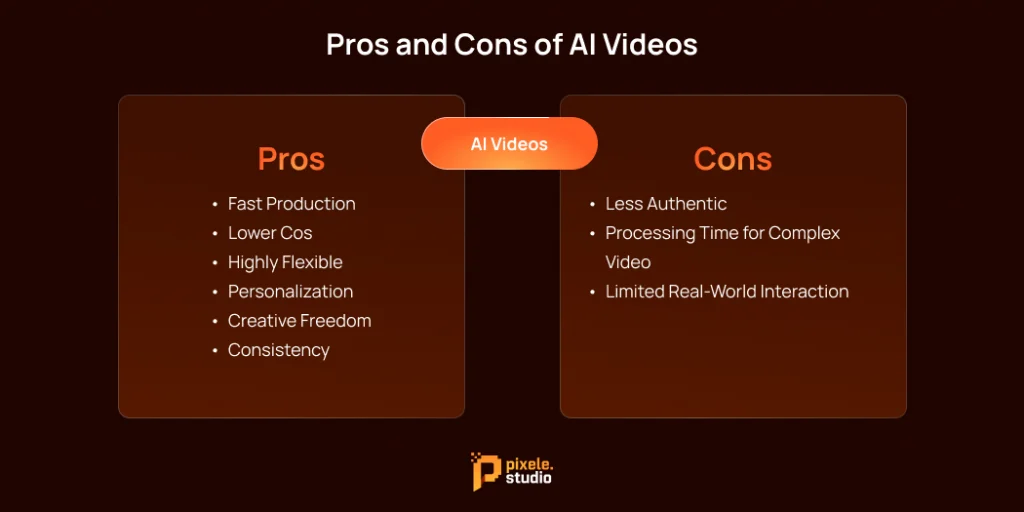
Pros of AI Videos
- Fast Production: AI videos can be created much quicker than real videos. The software can generate scenes, characters, and animations in minutes or hours instead of days or weeks.
- Lower Cost: You don’t need cameras, actors, or locations. This makes AI videos more affordable, especially for businesses or creators who need multiple videos.
- Highly Flexible: You can easily change characters, backgrounds, text, or actions without starting over. You can also create completely new scenes that would be impossible to film in real life.
- Personalization: AI videos can be customized for different viewers or audiences. For example, you can make multiple versions of the same video with small changes for different customers.
- Creative Freedom: AI allows you to make imaginative or animated content, like fantasy worlds, futuristic scenes, or abstract visuals, which are hard to do with real filming.
- Consistency: Once you create a style or template, you can produce multiple videos with the same look and feel, which is great for branding.
Cons of AI Videos
- Less Authentic: AI videos may not feel as “real” as live-action videos. Movements, expressions, or lighting may sometimes look slightly off.
- Processing Time for Complex Videos: While simple AI videos are fast, highly realistic or detailed videos may still take time to process.
- Limited Real-World Interaction: AI videos can’t capture real human interaction, live emotions, or spontaneous events, which real videos can provide.
Quickly turn any photo into a talking video with our AI Lip Sync tool.
AI vs Real Video Test: Can You Spot the Difference?
Here are key tips to help identify whether a video is AI-generated or real by observing common signs:
- Faces and Expressions: In real videos, faces move naturally and expressions change subtly. AI videos may sometimes show unnatural facial expressions, stiff smiles, or movements that don’t quite match the situation.
- Eye Behavior: Real eyes blink and move naturally. In AI videos, blinking may be too slow, too fast, or irregular. The direction of the gaze might also seem slightly off or inconsistent.
- Hand Movements: Hands in real videos move fluidly and naturally. AI-generated hands can sometimes look awkward, stiff, or slightly distorted, especially when doing complex actions.
- Unnatural Actions: AI videos can have small mistakes in movements or physics. Objects may float, people might walk strangely, or motions may seem slightly off compared to real life.
- Mismatched Audio: The voice in AI videos may sometimes not match perfectly with lip movements. It can sound too smooth, robotic, or out of sync in certain moments.
- Lighting and Shadows: Real videos have natural lighting and shadows that match the environment. AI videos can sometimes have shadows in the wrong place or lighting that looks too uniform or artificial.
- Physical Interactions: In real videos, people interact naturally with objects and each other. AI videos may show objects or people passing through each other, missing realistic touches, or behaving in ways that don’t follow real-world physics.
Conclusion
AI isn’t here to replace real video. Instead, they’ll work together. AI will be a huge help for filmmakers, making post-production easier, creating cool visual effects, and bringing big ideas to life on a smaller budget. Real video will still be best for showing true emotions and human connection.
For creators and businesses, the trick is knowing when to use which. Choose the right tool, and you can tell more powerful stories, connect better with your audience, and achieve amazing things in video.
Frequently Asked Questions
Real videos are filmed with cameras and show real people, events, or places. AI videos are made by computers and can create people, actions, or scenes digitally.
AI videos can look very real and are good for fast and creative content. Real videos feel more natural and capture real emotions, making them better for trust.
Yes, AI videos can be trusted if made using good apps or software. But real videos are usually more trusted because they show real events.
It depends on your goal. Real videos are best for authenticity, emotions, and trust. AI videos are best for speed, creativity, flexibility, and saving money.
AI videos are faster and cheaper to make, easy to customize, and don’t need filming equipment or locations.
Shantilal Materiya is the Founder & CEO of Tagline Infotech, driving innovation in AI-powered software solutions and helping businesses embrace the future of digital transformation services.