Category: Photo to Sketch
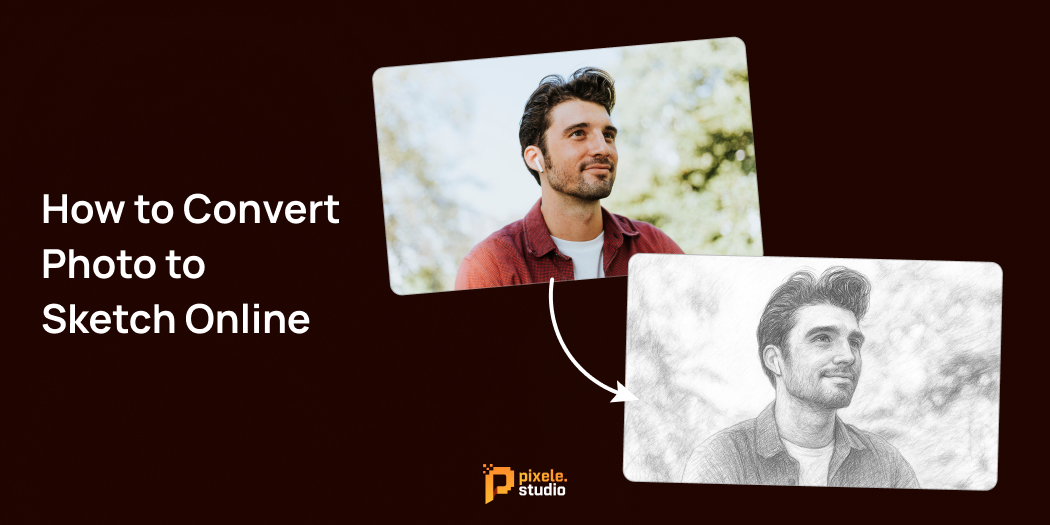
How to Convert Photo to Sketch Online



Transforming your favorite photos into beautiful pencil sketches has never been easier. With the help of advanced AI-powered online tools, anyone can convert photos to sketches instantly—no artistic skills required.
These free and fast converters let you upload any image and turn it into a detailed sketch with just a few clicks.
This photo-to-sketch effect is great for social media, profile pictures, digital art, or even gifting something creative to your friends. Many websites and apps now offer free as well as paid tools to make your photo look like a hand-drawn sketch.
In this guide, you will learn what photo-to-sketch conversion is, why it’s favored by many, how to convert photo to sketch online for free, the best free tools available, and useful tips to create the perfect sketch effect.
Let’s begin and see how simple and fun it is to turn your photos into amazing sketches!
What is photo-to-sketch conversion?
Photo to sketch means changing a normal photo into a picture that looks like it was drawn by hand with a pencil or pen. This is done using special online tools or apps that use smart technology like AI to create this effect.
When you convert a photo to a sketch, the colors usually change to black and white or gray. The tools add lines and shading that look like real pencil drawings. So, your photo turns into a beautiful sketch that looks hand-drawn, even though it’s made by a computer.
This process is simple and fast, and you don’t need to draw anything yourself!
Why Convert Photo to Sketch Online?
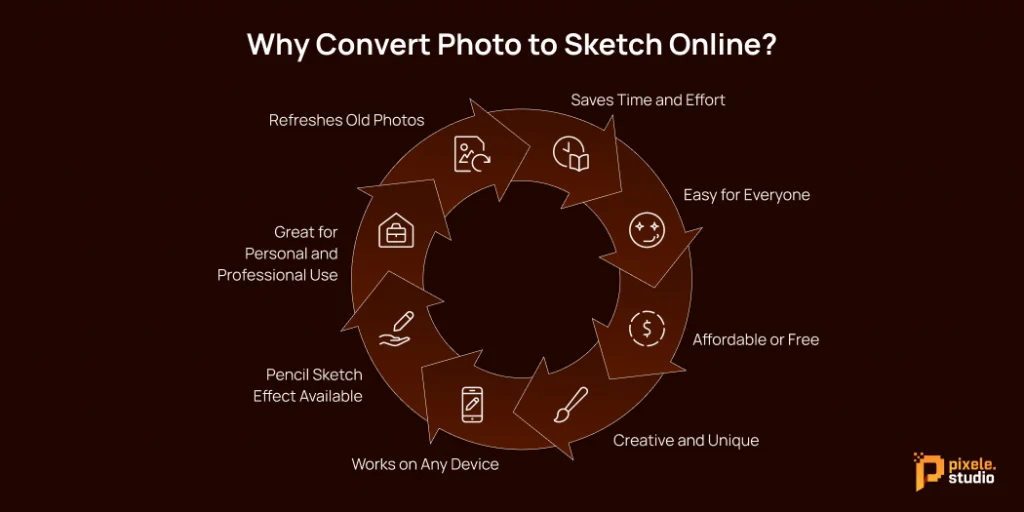
Converting photos to sketches online is popular because it is easy, fast, and fun. Here are the main reasons why people love using photo-to-sketch converters online:
1. Saves Time and Effort
Drawing sketches manually or using complex software can take a long time. Online tools do it instantly and save you lots of effort.
2. Easy for Everyone
You don’t need to be an artist or have special skills. With just one click, you can turn any photo into a beautiful sketch.
3. Affordable or Free
Many online sketch tools are free or very cheap, much less expensive than professional programs.
4. Creative and Unique
Adding a sketch effect makes your photo look special. It’s perfect for sharing on social media, making digital gifts, or creating personal art.
5. Works on Any Device
You can use online converters on your phone, tablet, or computer without needing to download big programs.
6. Pencil Sketch Effect Available
Pixele Studio online tools mainly give the pencil sketch effect. This is the most common and popular style because it makes your photo look like a real hand-drawn sketch made with a pencil.
7. Great for Personal and Professional Use
People use sketch photos for social media, profile pictures, gifts, and design projects like posters or cards.
8. Refreshes Old Photos
Sketch filters can make old or blurry photos look new and artistic—great for family memories or vintage effects.
How to Convert Photo to Sketch Online: 3 Easy Steps

Follow these 3 simple steps to turn your photo into a sketch online:
1. Upload Your Photo
- Select any image from your mobile, computer, or tablet.
- Look for the upload area (usually says “Click or drag image here”).
- Supported formats: JPG, PNG, WEBP, HEIC.
- Simply click to choose your photo, or drag and drop it to begin.
2. Pick a Sketch Style
- Once your image is uploaded, you’ll get options for choosing a different sketch style.
- There are different effects, like pencil or detailed shading.
- Click on the style you like best; you’ll see a preview right away.
3. Download Your Sketch
- After you’ve picked your favorite style, download your new sketch.
- You can save it as a JPG or PNG file.
- Now your sketch is ready to share or use anywhere you want!
These steps make it super easy for anyone to turn a photo into a sketch online—no special skills needed. Just upload, choose a style, and download your art!
Best Free Photo to Sketch Online Tools

Here are some of the best free tools you can use to convert your photos into sketches easily, including advanced AI-powered options:
Pixele Studio
Pixele Studio is a trusted and easy-to-use tool that changes your photos into beautiful sketches. What makes it special is that it can also make the lips in the sketch move like they are talking. This means your photo sketch looks alive and can be used for fun videos or creative posts.
You can easily convert photo to a sketch online for free using many simple tools. These websites let you upload your photo and turn it into a pencil or color sketch without paying anything.
Canva
Canva is a very popular and beginner-friendly tool. You can upload your photo and choose from different sketch effects that make your picture look hand-drawn.
Besides sketch filters, Canva offers many templates and design options, so you can add text or backgrounds if you want. It works on your computer or phone without downloads, and many features are free.
Fotor
Fotor has a dedicated photo-to-sketch feature that lets you turn photos into sketches with just a few clicks. It offers various sketch styles, like pencil lines or soft shading.
The website is simple to use, so even if you’ve never edited photos before, you’ll find it easy to navigate. Fotor is free for basic use and fast to process images. It’s also known as one of the best AI image generators, giving you more creative ways to edit and design.
BeFunky
BeFunky is another easy-to-use online editor with fun sketch effects, including pencil and cartoon styles.
It lets you preview the sketch immediately after uploading your photo and adjust details like the line thickness and shading. BeFunky has free options and also offers extra features for paid users.
InsMind
InsMind is a photo-to-sketch converter that works instantly and offers several interesting sketch filters.
You just upload your image, pick the sketch style you like, and download the result. It’s straightforward—perfect for those who want a quick sketch without any complicated steps.
Picture to People
Picture to People is a free online tool that lets you turn your photos into detailed sketches easily.
It offers advanced options to customize your sketch, such as adjusting line thickness, shading, and style, giving you more control over how your final image looks.
This tool is great if you want a realistic and artistic pencil sketch effect with the ability to fine-tune details.
Tips for Getting the Best Sketch Effect
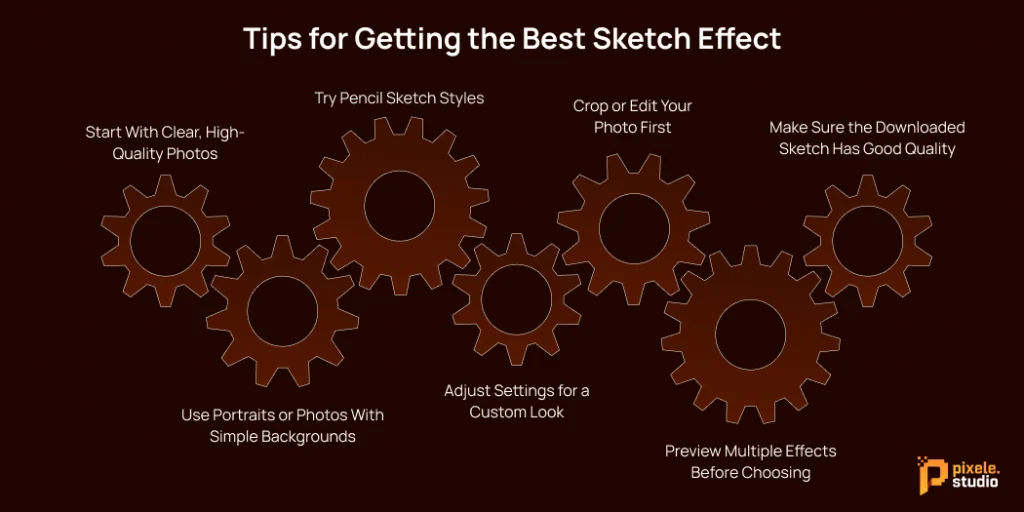
To make your photo-to-sketch conversion look great, follow these simple tips that anyone can easily understand:
Start With Clear, High-Quality Photos
Choose pictures that are sharp and have good contrast between light and dark areas. Clear photos give better and more detailed sketches.
Use Portraits or Photos With Simple Backgrounds
Photos where the main subject is clear—like face close-ups or pictures without busy backgrounds—turn into the best sketches. Simple backgrounds help the sketch focus on the important parts.
Try Pencil Sketch Styles
Pixele Studio online tools let you pick from several sketch effects, such as pencil styles. Experiment with these to find which one looks best with your photo.
Adjust Settings for a Custom Look
Use available sliders to change brightness, line thickness, or smoothness. Small adjustments can make your sketch look softer, sharper, or more detailed, depending on what you want.
Crop or Edit Your Photo First
Before you convert, remove any unnecessary parts of the photo. For example, crop out distracting objects so the sketch highlights the main subject better.
Preview Multiple Effects Before Choosing
Try different sketch filters and compare how they look. Previewing helps you pick the perfect effect before you finalize and save your sketch.
Make Sure the Downloaded Sketch Has Good Quality
Check the resolution of the final sketch image. Higher resolution is important if you want to print the sketch or use it in big formats to keep it clear and sharp.
By following these easy steps, your photos will turn into beautiful, professional-looking sketches that you’ll be proud to share or print.
Transform any photo into a clean, hand-drawn sketch in seconds with our easy photo-to-sketch tool.
Conclusion
Nowadays, with the power of easy-to-use online tools and powerful AI technology, anyone can quickly turn their photos into beautiful sketches. These free and simple tools make it fun and effortless to give your pictures an artistic touch. Whether you want to create something special for yourself, share creative images with friends, or meet professional needs, these sketch converters are perfect for everyone.
After reading this guide, we hope you understand how to photo to sketch convert online free. You’ll enjoy seeing your everyday photos transformed into unique works of art. So, why wait? Start exploring these tools today and bring your creativity to life with just a few clicks!
Frequently Asked Questions
Pixele Studio respects privacy and allows you to edit without sharing images externally.
Many tools like Pixele Studio offer free features; paid plans unlock advanced options like higher resolution or more styles.
You can save your sketched images in several popular formats, including JPG, PNG, WEBP, and HEIC.
Check each tool’s terms, but sketches generated from your photos are generally permitted for personal and some commercial uses.
Most sites and apps take seconds to process, making this a practical, time-saving method.
Yes, high-resolution images with strong contrast provide the best results, especially for pencil and ink effects.
Most tools allow for basic customization—line thickness, shading, and contrast are commonly adjustable.

Krishna Dudhat is an SEO Content Writer at Tagline Infotech, creating AI-optimized content that drives visibility, engagement, and digital growth.


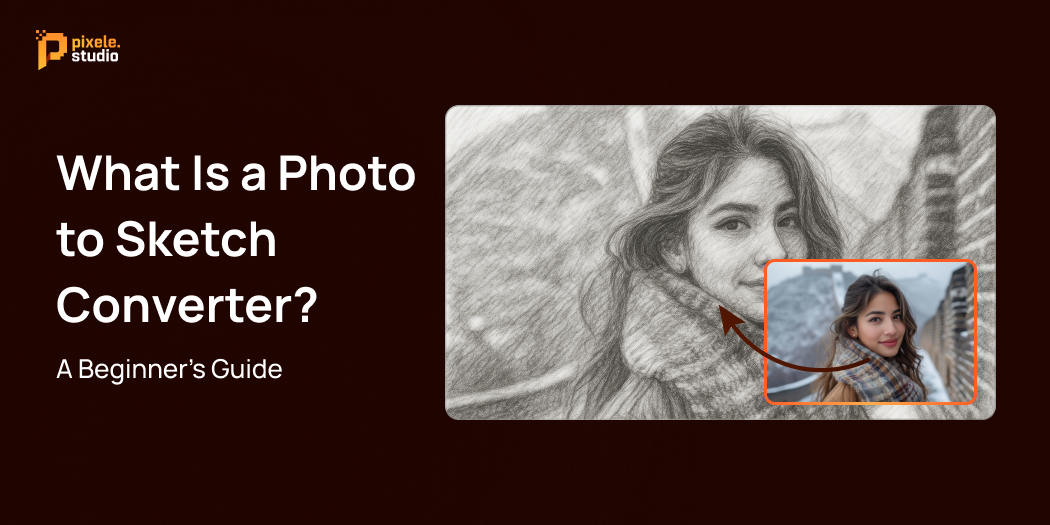
What Is a Photo to Sketch Converter? A Beginner’s Guide

Turning your favorite photos into hand‑drawn‑style sketches is now possible in just seconds. With a photo to sketch converter, you don’t need artistic skills or expensive design software—AI handles the work for you.
Whether you want a realistic pencil effect, a bold ink drawing, or a soft charcoal look, these converters let you create stunning artwork instantly. They’re perfect for beginners exploring creativity, marketers looking for unique visuals, and anyone who loves experimenting with images.
In this beginner‑friendly guide, you’ll learn what is a photo to sketch converter is, how it works, its benefits, and how to convert photo to sketch step‑by‑step. We’ll also share tips to get professional‑quality results and answer popular questions—so you can start sketching today.
What Is a Photo to Sketch Converter?
A photo to sketch converter is an online or software‑based tool that transforms any digital photo into a sketch using AI and smart algorithms.
Instead of tracing or drawing manually, the converter analyzes your image’s edges, shadows, and textures, and then recreates it with sketch-style lines and shading. Depending on the image to sketch converter online you choose, you may have style options like
- Pencil sketch – classic black-and-white lines with fine details
- Charcoal sketch – bold, textured strokes for artistic depth
- Ink drawing – high‑contrast outlines ideal for graphic looks
- Coloured sketch – adding soft colour tones to the sketch
These tools are designed for all skill levels—from beginners to professionals—making them highly popular for social media edits, marketing creatives, and personal projects.
Benefits of Using an Online Photo to Sketch Converter
Using an online photo to sketch converter offers several advantages:
- Fast and Free Creation: Generate beautiful sketches within seconds without paying or installing any software.
- User-Friendly: Designed for beginners, they require no artistic ability or editing experience.
- Variety of Artistic Styles: From detailed pencil and charcoal sketches to bold ink or soft line art, choose what fits your style.
- Free Options Available: Many offer photo to sketch free tools.
- Safe and Private: Trusted online tools ensure that your images are not stored or misused by deleting them promptly after conversion.
- Wide Application: Perfect for making social media posts stand out, creating unique personalized gifts, enhancing marketing materials, or building impressive digital portfolios.
- No Technical Hassles: Work completely online, meaning you can use a photo to sketch converters from any device—desktop, tablet, or smartphone.
Before converting your photo, consider enhancing its quality with an AI Image Upscaler to upscale low-res images for sharper sketches.
Step-by-Step Guide: How to Convert a Photo to a Sketch Online
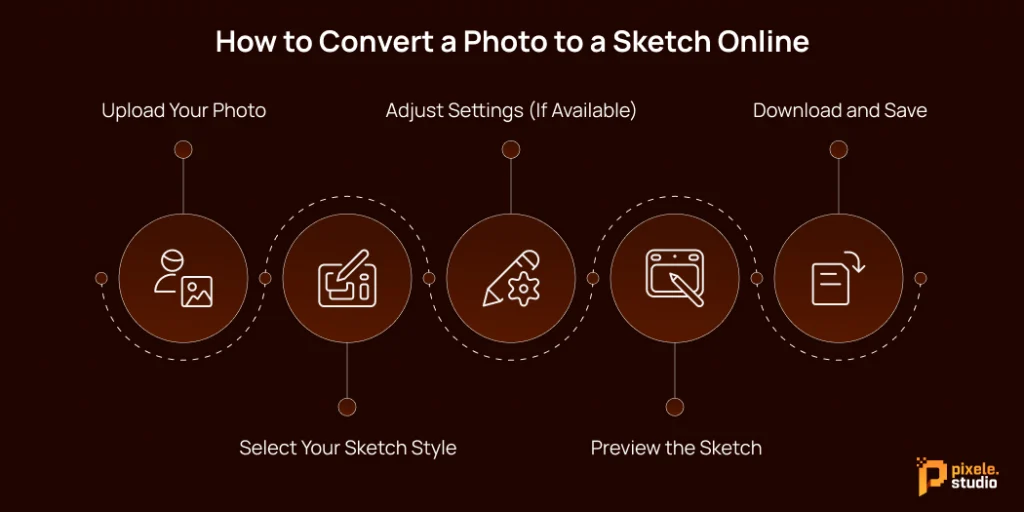
If you’re ready to start creating your own sketches, here are the simple steps to convert your photo into a sketch:
- Upload Your Photo: Use a clear, well-lit image in JPG, PNG, or WEBP format for the best results. High-resolution photos generally deliver sharper sketches.
- Select Your Sketch Style: Choose from pencil, ink, charcoal, or colored sketch themes depending on your creative goal.
- Adjust Settings (If Available): Some converters let you tweak contrast, details, or shading intensity to customize the output.
- Preview the Sketch: Review the AI-generated sketch and make changes if needed.
- Download and Save: Once satisfied, download your new sketch file instantly to your device.
- Experiment: Try different photos and styles to find the perfect artistic look!
This process requires no downloads or registrations, making it quick and straightforward even for first-time users.
Tips for Best Results and Enhancing Your Sketch
To maximize the quality and creative impact of your sketch, keep these tips in mind:
- Use Well-Lit Photos: Good lighting enhances details, making the AI’s job easier and your sketch crisper.
- Choose High-Resolution Images: Higher resolution photos translate to better sketch definition.
- Crop Before Uploading: Focus on your subject by cropping unnecessary parts for a more compelling sketch.
- Experiment with Styles: Don’t hesitate to try different sketch types and adjustment options your tool offers.
- Add Creative Twists: For portraits, consider using a Face Swap tool to playfully mix faces before converting them into sketches.
- Share Smartly: Post your sketches with popular hashtags like #PhotoToSketch and #AIArt to reach more viewers.
Transform any photo into a clean, hand-drawn sketch in seconds with our easy photo-to-sketch tool.
Conclusion
Photo to sketch converters make digital art creation accessible to everyone. These AI-powered tools allow beginners, hobbyists, and professionals to quickly and freely transform ordinary photos into beautiful sketches without needing drawing skills.
With diverse style options, strong privacy protections, and compatibility across all devices, these converters are excellent tools for creating unique social media content, personalized gifts, marketing materials, and much more.
To enhance your creative projects even further, consider combining your sketches with an AI Image Generator to create unique backgrounds, complementary artworks, or entirely new designs that pair perfectly with your converted sketches.
Try an image-to-sketch converter online today and unlock new creative possibilities with your photos!
Frequently Asked Questions
Yes, the majority of reputable online photo to sketch converters offer unlimited free use without hidden fees or subscriptions.
Trusted photo to sketch converters prioritize your privacy by automatically deleting uploaded images soon after conversion, ensuring your photos are not stored or misused.
Absolutely. The sketches you create can be used for social media content, marketing, branding, personal projects, and various commercial applications without restrictions on usage.
Yes, most leading converters are fully optimized for both desktop and mobile platforms, allowing you to create sketches seamlessly on smartphones, tablets, or computers.
Common formats like JPG, PNG, and WEBP are widely supported, making it easy to upload images from various devices and sources.
Many converters offer multiple sketch styles such as pencil, ink, charcoal, or colored sketches, and some allow you to adjust contrast, shading, and detail to tailor the final output to your liking.
Use high-resolution, well-lit photos with clear subject focus. Cropping the image before uploading and experimenting with different sketch styles will also enhance the quality and appeal of your sketches.

Bipin Sakariya is the Co-Founder & CTO of Tagline Infotech, leading AI-driven technology initiatives and building future-ready digital solutions for global businesses.